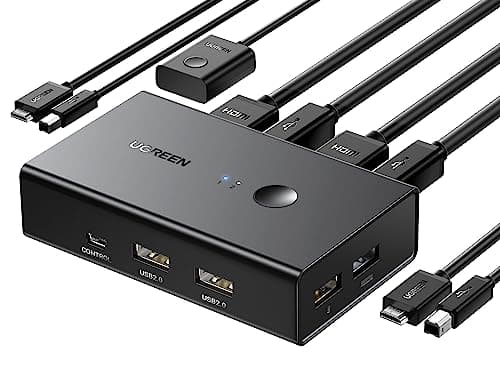
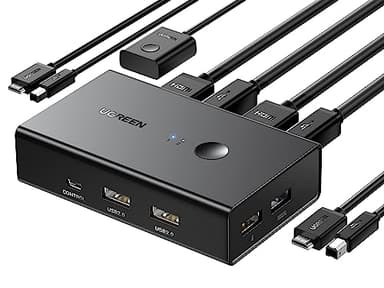
UGREEN HDMI KVM Switch 1 Monitor 2 Computers, with 4 USB Ports 4K@60Hz KVM Switches for Sharing One Monitor Keyboard Mouse Printer with 2 HDMI Cables, 2 USB Cables, Desktop Controller
Price History
Product Recommendation
Upgrade Your Workspace with the UGREEN HDMI KVM Switch – Control 2 Computers with One Monitor!
Tired of cluttered desks and constantly switching between computers? The UGREEN HDMI KVM Switch is your ultimate solution for seamless multitasking. This powerful device lets you control two computers using just one monitor, keyboard, mouse, and printer, keeping your workspace clean and efficient. With one-touch switching or a handy desktop controller, you can effortlessly toggle between systems—perfect for boosting productivity in offices, gaming setups, or home workstations.
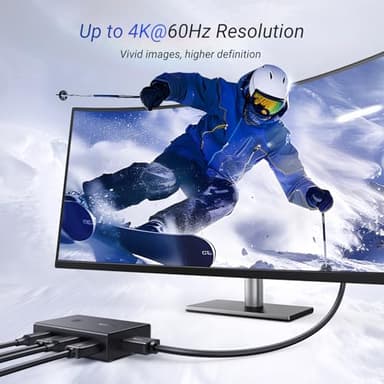
Crystal-Clear 4K@60Hz Performance
Experience stunning visuals with support for Ultra HD 4K@60Hz, along with compatibility for 4K@30Hz, 2560x1440@120Hz, and lower resolutions. Advanced HDMI 2.0 technology ensures vibrant colors, sharp details, and smooth playback—ideal for gaming, design work, or multimedia tasks. Plus, with HDCP 2.2/1.4, USB 2.0, 3D, and HDR support, every image is rich and lifelike.
Plug-and-Play Convenience & Wide Compatibility
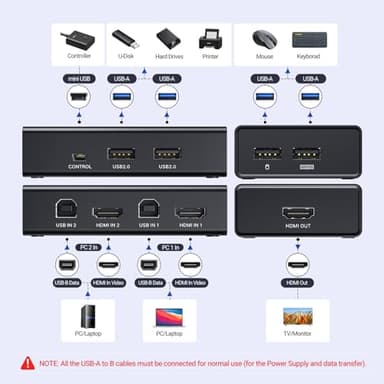
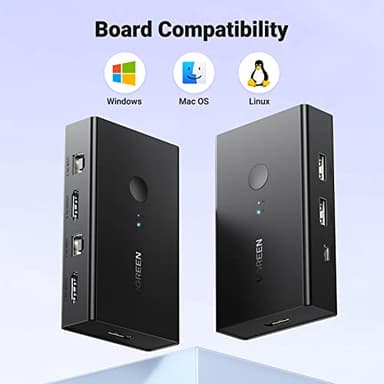
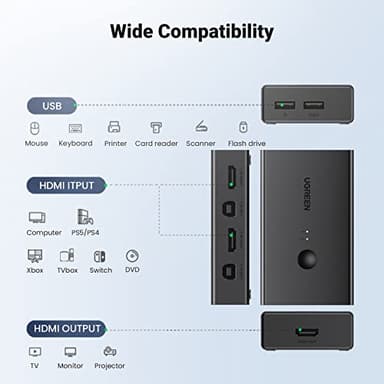
No drivers needed! This KVM switch works flawlessly with Windows, Mac OS, Linux, and most HDMI devices—including Nintendo Switch/Switch 2, PS5/4/3, Xbox One, PCs, laptops, and more. Whether you're in an office, classroom, or gaming room, setup is effortless. Just connect the included USB A-to-B cables (required for power) and enjoy instant control over both systems.
Space-Saving Design & Flexible Switching
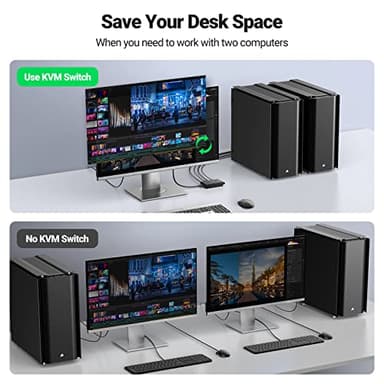
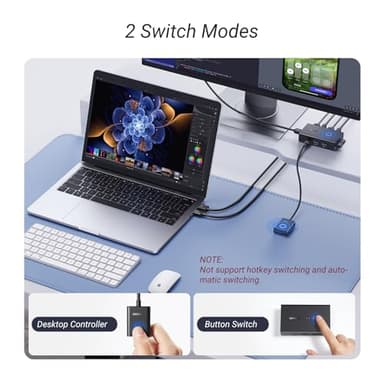
Free up desk space by sharing peripherals between two computers. The compact design includes a desktop controller for quick access when the switch isn’t within reach. (Note: Does not support EDID emulation or hotkey switching.)
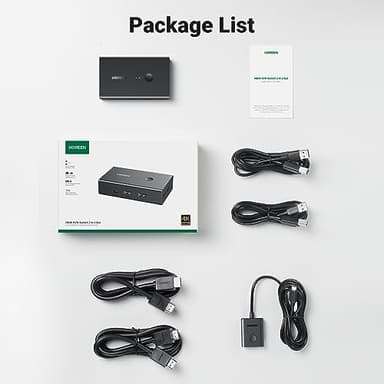
What’s Included:
- ▶1x KVM Switch
- ▶2x USB A-to-B Cables
- ▶2x HDMI Cables
- ▶1x Desktop Controller
- ▶1x User Guide
Pro Tips: For optimal performance:
✔ Use HDMI cables under 16FT (5M) for 4K@60Hz.
✔ Keep wireless devices within 3.3FT (1M) range
Key Features
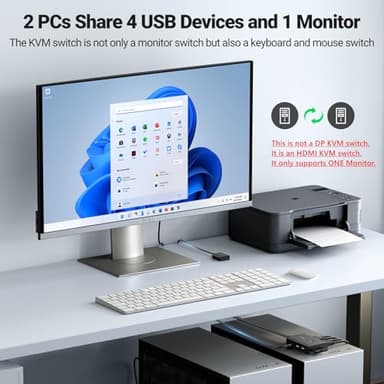
- ▶KVM Switch 1 Monitor 2 Computers: This HDMI KVM Switch with 4 USB ports, and allows you to control 2 computers with only one set of USB devices such as a set of keyboard, mouse and printer on one monitor. You can easily switch between two computers, which keeps your workspace tidy. NOTE: MUST Connect both two USB A to B cables for the Power Supply and data transfer, so that the keyboard and mouse can be used normally
- ▶Support Up to Ultra HD 4K@60Hz: UGREEN KVM switches support resolution up to 4K@60Hz, also support 4K@30Hz, 2560*1440@120Hz or lower resolution. This HDMI KVM switch also supports HDMI 2.0, HDCP2.2/1.4, USB 2.0, 3D and HDR, which makes image display more exquisite and realistic, color is more bright and moving, really giving a feast for your eyes. NOTE: Please ensure that the resolution of the two devices at the input and the device at the output is consistent
- ▶Two Switching Modes: By One-Botton switch or desktop controller, freely switch between 2 computers, saving space on your desk and sharing your display, keyboard and mouse between both computers, increasing your productivity in the office or at home. When the KVM switch is not placed on the desktop, the desktop controller will be a good helper for you to switch quickly. (NOTE: It does Not support EDID Emulation and Hotkey Switching)
- ▶Widely Used & Driver-Free: With wide compatibility, this KVM switch HDMI 2 port box supports Windows 11/10/8.1/8/7/Vista/XP, Mac OS, and Linux systems. Just plug and play and without any installation. This HDMI USB KVM switch is also compatible with most HDMI source devices, such as Nintendo Switch/Switch 2, PS5/4/3, Xbox One, TV Box, PC, Laptop, etc. It is widely applied for Enterprise, Office, Multimedia Teaching, Meeting Rooms, Gaming Rooms, Research Tests, etc
- ▶Package List: 1* KVM Switch, 2* USB A to B Cables, 2* HDMI Cables, 1* Desktop Controller, 1* User Guide
- ▶NOTE: 1. Not supported for use with docking station. 2. If connect the wireless keyboard and mouse, please ensure their operating range meets the product's requirements (within 1m/3.3ft for a single USB device and within 0.3m/0.98ft for multiple USB devices). 3. To achieve 4K@60Hz resolution, the length of the HDMI cable must not exceed 5M/16FT. 4. Do not press the button on the switch or the desktop controller while connecting devices and cables. 5.It is not a DP KVM switch and it only supports only ONE monitor
![Projector with WiFi and Bluetooth Portable Outdoor: [Auto Focus&Keystone/360° Stand] Smart TV 4K Movie Projector with Apps Netflix Licensed 50%Zoom 700ANSI 3D DoIby Audio Android Home Camping Ceiling](/_next/image?url=https%3A%2F%2Fm.media-amazon.com%2Fimages%2FI%2F51gEvjmuW%2BL._SL500_.jpg&w=640&q=75)
![[Official Google TV]Smart Projector 4K Supported with WiFi & Bluetooth, Netflix-Licensed, Outdoor Movie Projector with DoIby Audio, Auto Focus, Home Theater Proyector WIMIUS G1 (Gray, Standard)](/_next/image?url=https%3A%2F%2Fm.media-amazon.com%2Fimages%2FI%2F51DC3fX1yQL._SL500_.jpg&w=640&q=75)