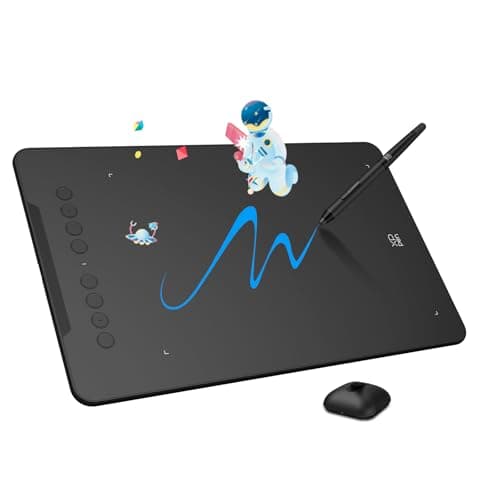

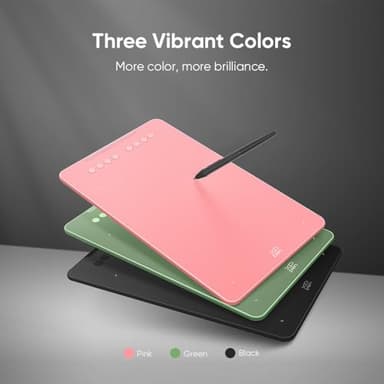
XPPen Updated Deco 01 V3 Drawing Tablet, 16384 Pressure Sensitivity, 8 Custom Shortcuts, 220 Report Rate for OSU Drawing Pad, Remote Teaching & Animation, Compatible with Android, Windows, macOS
Price History
Product Recommendation
Unlock Your Creative Potential with the XPPen Deco 01 V3 Drawing Tablet
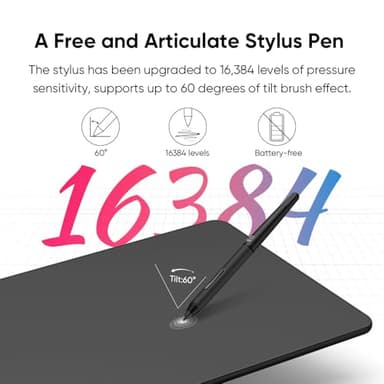
Elevate your digital artistry with the XPPen Deco 01 V3, a feature-packed drawing tablet designed for artists of all levels. Powered by the industry-leading X3 Smart Chip stylus, this tablet delivers 16,384 pressure levels and 60° tilt support, eliminating lag and stroke distortion for smooth, natural shading—just like charcoal or pencil on paper. Whether you're transitioning from traditional to digital art or honing your skills, the Deco 01 V3 removes technical barriers so you can focus on creativity.
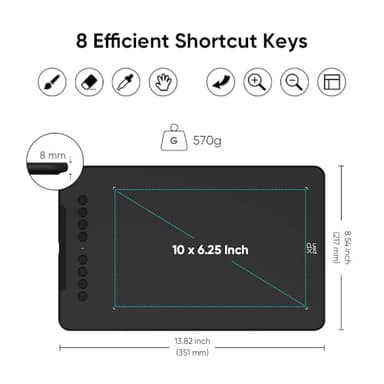
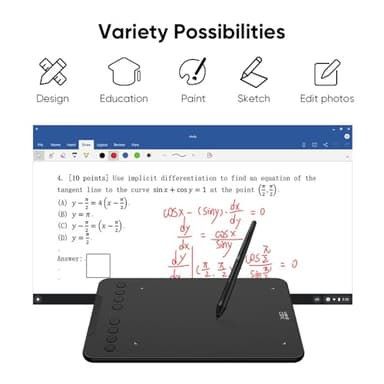
Designed with beginners in mind, its ambidextrous layout and programmable keys reduce menu navigation time by 40%, making it perfect for students and hobbyists juggling multiple design apps. The 10" active area (20% larger than entry-level tablets) provides ample space for manga, anime, or detailed illustrations without hand cramps, while the edge-backlit surface ensures effortless nighttime sketching sessions.
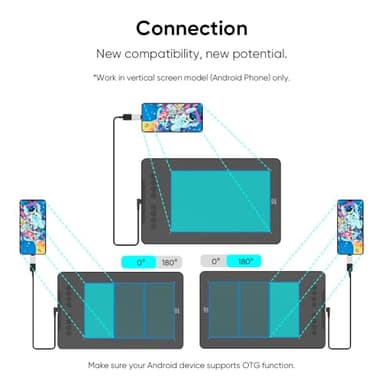
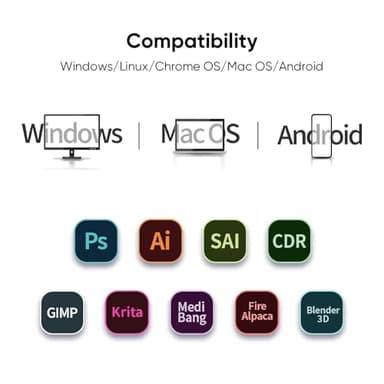
Seamlessly connect to Android phones/tablets via USB-C (with aspect ratio adjustment) or enjoy broad compatibility with Windows, macOS, Chrome OS, Linux, and leading software like Photoshop and Clip Studio. The ultra-slim 8mm body (lighter than an iPad) and battery-free stylus make it ideal for on-the-go creativity—no charging anxiety or bulky setups.
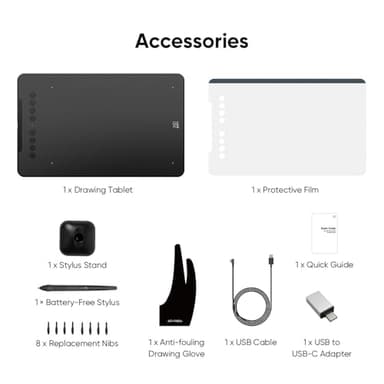
Your purchase includes everything you need: drawing tablet, stylus with stand, nibs, glove, protective film, cables, and adapters—all for just $59.99. Don’t miss this unbeatable value for professional-grade performance!
Upgrade your toolkit today—the Deco 01 V3 is your gateway to flawless digital art.
Key Features
- ▶Industry-leading: The upgraded X3 Smart Chip stylus (industry-leading innovation) delivers 16,384 pressure levels and 60° tilt support, solving traditional tablet lag and stroke distortion. Perfect for digital artists transitioning from paper to digital, allowing natural shading like charcoal/pencil without tech barriers
- ▶Beginner-Friendly Design: Ambidextrous layout with programmable keys reduces 40% menu navigation timen, ideal for students and hobbyists juggling multiple design apps
- ▶Optimized for Android Devices: Seamlessly connects to Android Phone/Android tablets via USB-C (includes aspect ratio adjustment). We recommend downloading the XPPen Tools app to adjust your smartphone's screen aspect ratio for precise mapping, accommodating various screen sizes in portrait mode
- ▶10" Active Area – 20% Larger Than Entry-Level drawing tablet: Generous 6.25x10" workspace eliminates hand-cramping for manga/anime creators, with edge-backlit surface enabling nighttime sketching sessions
- ▶Zero Charging Hassles & On-the-Go Portability: Battery-free pen + 8mm ultra-slim body (lighter than iPad) solves beginners' "forgot to charge" anxiety. Fits in school backpacks for dorm-to-studio mobility
- ▶Versatile Compatibility: The Deco 01 V3 is compatible with a wide range of operating systems, including Windows 7 and later, Android 10.0 and above, macOS 10.13 and newer, Chrome OS 88 and later, as well as Linux. It also works with popular design software such as Photoshop, Corel Painter, Illustrator, and Clip Studio. *Ensure your Windows is updated to version 11 or your Mac to version 12 for optimal performance
- ▶Included Accessories: Your purchase includes: 1 x Deco 01 V3 Drawing Tablet, 1 x Stylus, 10 x Nibs, 1 x Stylus Stand, 1 x Glove, 1 x Protective Film, 1 x USB-C to USB-A Cable, 1 x USB to USB-C Adapter
![[Official Google TV]Smart Projector 4K Supported with WiFi & Bluetooth, Netflix-Licensed, Outdoor Movie Projector with DoIby Audio, Auto Focus, Home Theater Proyector WIMIUS G1 (Gray, Standard)](/_next/image?url=https%3A%2F%2Fm.media-amazon.com%2Fimages%2FI%2F51DC3fX1yQL._SL500_.jpg&w=640&q=75)