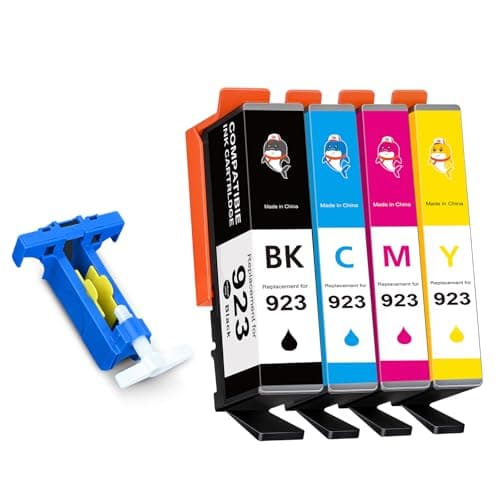

923 Ink Cartridges Combo Pack Without Chip
Price History
Product Recommendation
Upgrade Your Printing Experience with Starink 923 Ink Cartridges Combo Pack
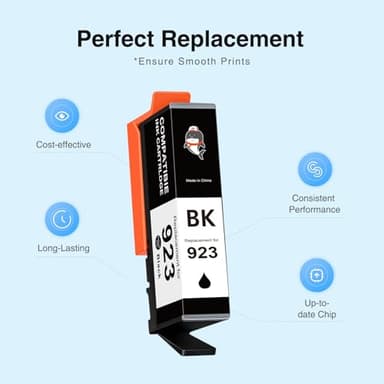
Say goodbye to expensive OEM cartridges and hello to high-quality, budget-friendly printing with our Starink 923 Ink Cartridges Combo Pack. Designed as a seamless replacement for HP 923 ink cartridges, this set delivers exceptional performance without compromising on reliability.
Key Features & Benefits:
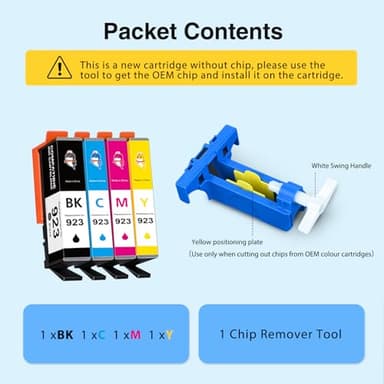
✔ No Chips Included – These cartridges require you to reuse your original HP chips (included with your printer). Our pack comes with a handy chip remover tool and step-by-step instructions, making installation quick and hassle-free.
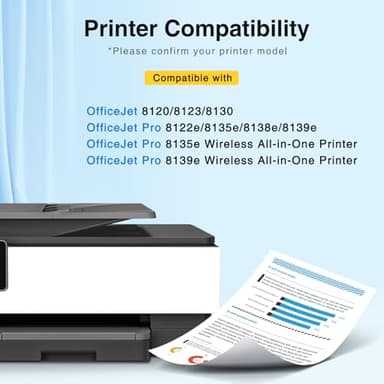
✔ Wide Compatibility – Perfectly compatible with popular HP OfficeJet Pro models, including the 8130, 8135e, 8138e, 8139e, 8120, 8122e, and 8123. Enjoy smooth printing for documents, photos, and more!
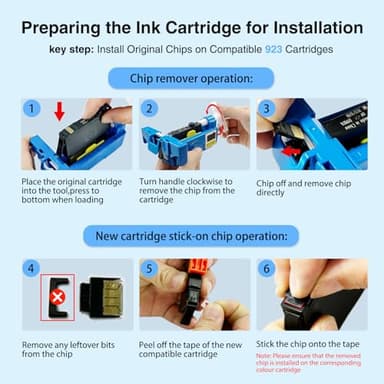
✔ Easy Installation – Just follow three simple steps: remove the original chip using our tool, peel the tape on the new cartridge, and attach the old chip. Detailed instructions ensure a seamless setup.
✔ Cost-Effective Solution – Skip overpriced branded cartridges without sacrificing print quality. Get more prints for less!
Whether you're printing at home or in the office, our Starink 923 ink cartridges provide a reliable and affordable alternative to keep your workflow running smoothly. Have questions? Our customer support team is always ready to assist!
Upgrade your printing today—order your Starink 923 Ink Cartridges Combo Pack now!
Key Features
- ▶No Chips:Our 923 ink cartridges combo pack is WITHOUT CHIP, and you need to keep the old chips and install them to drive the whole set of 923 ink cartridges. The ink cartridges equipped with a chip remover tool and instruction, easy to operate and use.
- ▶Compatible: Starink 923 ink cartridges replacement for hp 923 ink cartridges combo pack works with OfficeJet Pro 8130/ 8135e / 8138e 8139e ; Work for hp OfficeJet 8120 / 8122e / 8123 ;
- ▶How to Ues: ① Firstly you need to remove the original chips on ink cartridges through our tool. ② Then peel off the tape of the new compatible cartridge and Stick the chip onto the tape. ③ More details please see the instruction.Any questions about the item, please feel free to contact us.