
Wireless Presentation Clicker for PowerPoint Presentations, USB Dongle Presenter Remote with Laser Pointer Slide Clickers for Mac/Windows/Linux, Computer/Laptop, Google Slide/PPT/Keynote
By CLIKBUTM
Last checked 4mo ago
(65 reviews)
0
$14.99
ASIN:
B09X1G5DCC
Product ID:
80277
Price History
Current Price
$
Highest Price
$-Infinity
Lowest Price
$Infinity
Product Recommendation
CLIKBUTM Wireless Presentation Clicker – Your Next-Level Presentation BFF!
Hey friend! If you’re tired of fumbling with your laptop during presentations, meet your new hero: the CLIKBUTM wireless clicker! This sleek, ergonomic design feels like a tiny magic wand in your hand—perfect for classrooms, meetings, or anywhere you need to rock a PowerPoint.
Why you’ll love it:
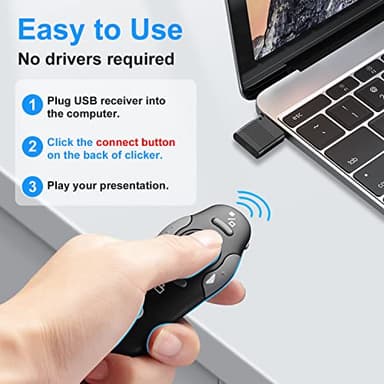
- ▶No drivers needed! Just plug in the USB dongle, press the button, and boom—you’re ready to click slides hands-free.
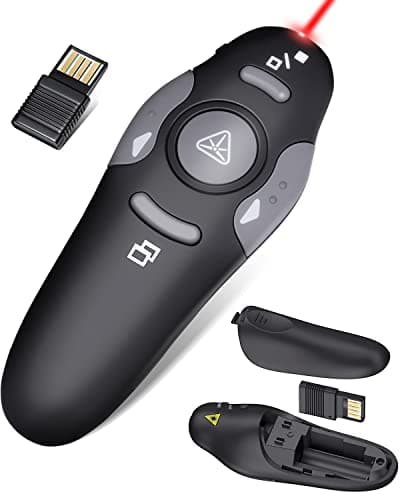
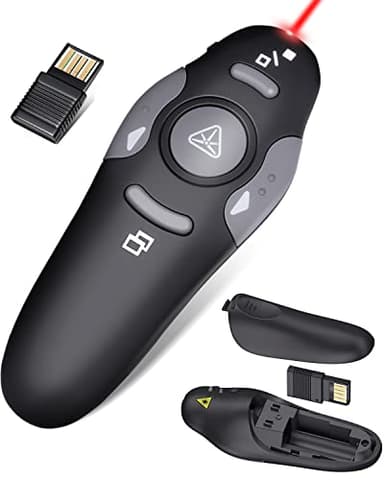
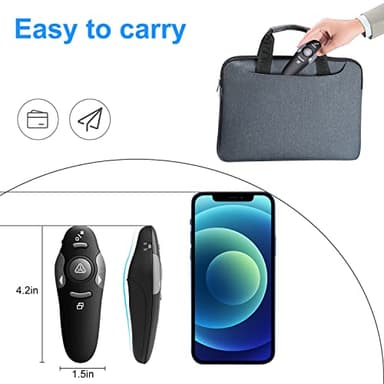
- ▶Compact & travel-friendly (only 38g!). The USB hides inside the battery compartment, so you’ll never lose it.
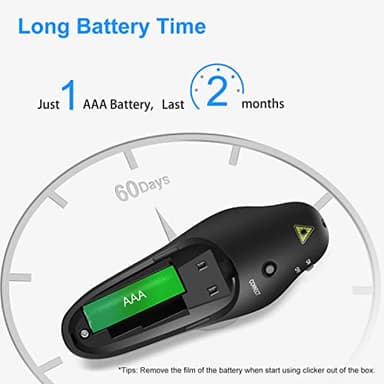
- ▶Runs on a single AAA battery (no weird specialty cells required). Plus, it lasts months—score!
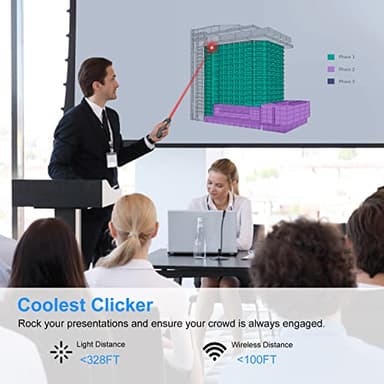
- ▶Laser + 100FT range means you can stride confidently across the room while your slides and pointer stay locked in.
Bonus: It works with Mac/Windows/Linux and all your favorite software, so no compatibility headaches.
At $14.99, this is an absolute steal for a tool that’ll make you look polished and feel in control. Trust me—it’s one of those “why didn’t I buy this sooner” finds!
Key Features
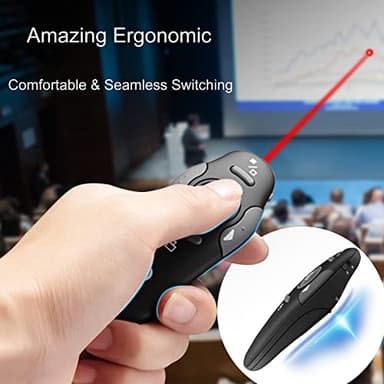
- ▶【Amazing Ergonomic】Wireless presentation clicker for PowerPoint presentations has a cool ergonomic design that makes you more comfortable when you use it to switch PPT, Keynote or Google Slides. The dark gray buttons and black body convey the designer's philosophy of simplicity. CLIKBUTM PPT clicker can used in different occasions such as teaching, office, conference, speech, etc.
- ▶【Compact Design】The USB dongle is stored in the slot inside the battery compartment of the remote powerpoint clicker with laser pointer. Easy to carry, remote presentation pointer's size: 109mm, Weight:38g (Battery included). Wireless presenter remote with laser pointer fits easily in your pocket or bag.
- ▶【How to Use】No drivers required. Just plug into the USB dongle, press the connect button on the back of the presentation remote, then start clicking. Supports systems: Windows 2003, XP, Vista, 7, 8, 10, Mac OS, Linux; supports softwares: Keynote, Google Slides, MS Word, Excel, PowerPoint, Website, PDF.
- ▶【Just Need 1 AAA Battery】No special button cell battery. Just one AAA Battery you can switch your PPT in classroom or office. One AAA battery can last about two months. Tip: you need to remove the film of the battery when start using power point remote clicker with laser out of the box.
- ▶【100FT Control Distance 】Slide clicker with laser pointer for presentations control distance: 98FT/30M, laser pointer light range: 328FT/100M. You can say goodbye to boring typical teacher pointers for classroom.We have the coolest computer clicker for presentations control that will rock your presentations and ensure your crowd is always engaged!