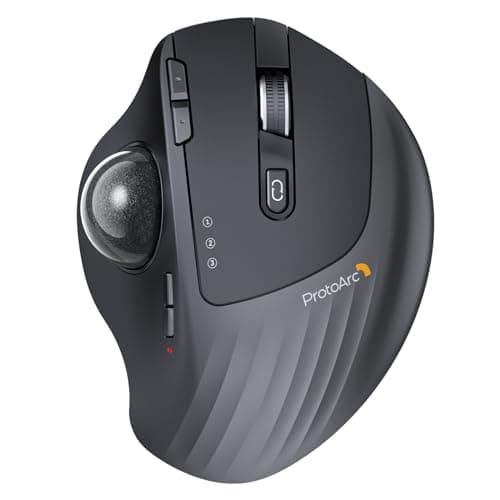
ProtoArc Wireless Trackball Mouse, EM01 NL Ergonomic Bluetooth Rollerball Thumb Rechargeable Computer Laptop Mouse, Adjustable Angle & 3 Device Connection for PC, Mac, Windows-Gray Ball
By ProtoArc
Last checked 5mo ago
(745 reviews)
0
$33.98$44.9924% off
ASIN:
B0CWTY6Z99
Product ID:
65243
Price History
Current Price
$
Highest Price
$-Infinity
Lowest Price
$Infinity
Product Recommendation
Hey friend! 🎉 If you’ve been eyeing an ergonomic mouse to save your wrists but kept hitting roadblocks, check this out: the ProtoArc Wireless Trackball Mouse is now 25% off for just $33.69! That’s a serious steal compared to its usual $44.99 price tag.
Why you’ll love it:
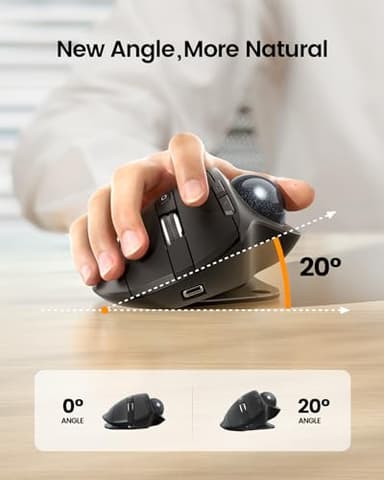
- ▶Adjustable comfort! The customizable angle (0–20 degrees) lets you sculpt the perfect fit for your hand. No more awkward reaches—you’ll feel like it was made just for you.
- ▶Cruelty-free to your arms! Control the cursor just with your thumb (no arm draggage). Perfect for messy desks or cozy couch sessions.
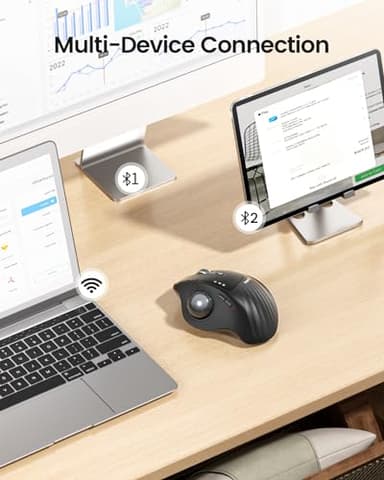
- ▶Triple-device magic! Seamlessly switch between PC, Mac, and iPad—great if you’re juggling work and creativity.
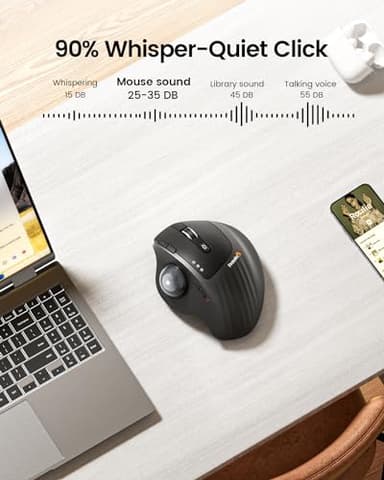
- ▶Silent clicks (except the middle wheel—fair warning). Quiet enough for late-night work without waking the whole house.
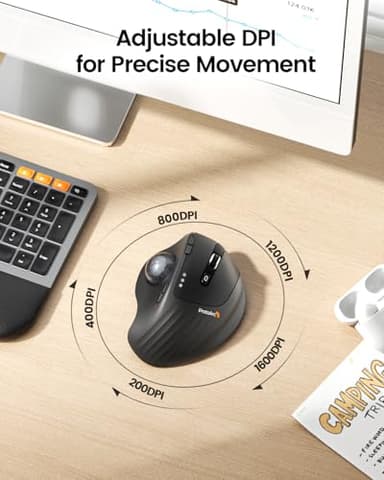
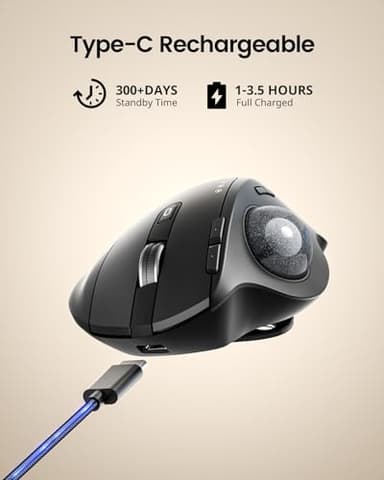
Plus, it’s rechargeable (no more dead batteries) and lets you tweak the DPI sensitivity for smooth scrolling.
Pro tip: It might take a week or two to get the hang of thumb steering, but trust me—your wrists will thank you later. Grab this deal while it’s hot! 💡
P.S
Key Features
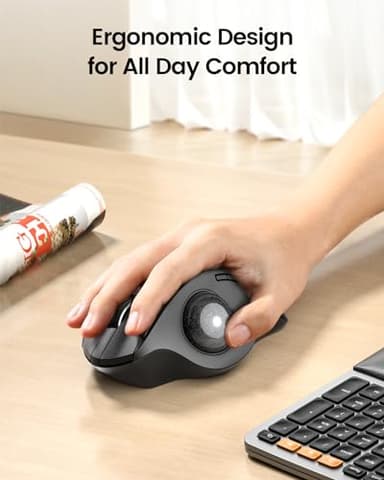
- ▶ERGONOMIC DESIGN for MORE COMFORT: Unique adjustable hinge allows you to customize the trackball angle from 0 to 20 degrees according to your needs, ensuring a more natural, comfortable hand position for all-day comfort
- ▶Precise Thumb Mouse: ProtoArc trackball mouse provides accurate and smooth tracking, allowing for easy navigation through documents and web pages. You no longer need to move your arm for the movement of the cursor. Your thumb will control the cursor instead via the trackball. It will effectively reduce fatigue and strain on your wrist and arm. More productive in the narrow space, such as the messy desktop, couch, bed etc. Note: this trackball mouse is not an ordinary traditional mouse.
- ▶Bluetooth & 2.4 G Wireless Connection: PLUG and PLAY. This trackball mouse has triple connection modes. You can control three devices at the same time, switch freely between PC, laptop and iPad with just one button to improve your efficiency. Compatible with Windows, Android, Mac OS PC Laptop Desktop etc
- ▶Rechargeable & Adjustable DPI: The bluetooth Trackball Mouse built-in rechargeable lithium battery. No need to change batteries. Please remember to turn it off if you do not use it for a long time. 5 DPI levels (200/400/800/1200/1600) allows you to change the cursor sensitivity easily and track more smoothly
- ▶Quiet Clicking: Smooth frosted surface and quiet clicks can bring a better user experience and free your worry about bothering others and keep you stay focused while working. Note: The middle scroll wheel is not silent. All the buttons are non-programmable and the back forward buttons are not compatible with Mac OS system
- ▶After using the trackball for a period of time, please clean the trackball and the three white rollers inside the hole to ensure that the trackball is always smooth. Note: When the computer is just started or a large application is running, it may also cause the trackball to not run smoothly
- ▶Warm Tips: Since it takes a learning curve to get used to the control method when using our trackball mouse for the first time, it may cause inconvenience to your mouse grip, you can experiment with different hand positions to find what is most comfortable for you. We recommend that you take 1-2 weeks to get used to it, as many users find that it will help reduce the pressure and pain on your wrist caused by long-term use of the mouse and improve comfort
![[2026 Upgraded] Mini Projector Support 4K 1080P FHD Auto Keystone 270° Rotatable with WiFi 6 and Bluetooth 5.2 Projector Portable Compatibile with HDMI/TV Stick/Memory Stick/Laptop,White](/_next/image?url=https%3A%2F%2Fm.media-amazon.com%2Fimages%2FI%2F51wWEUkWXVL._SL500_.jpg&w=640&q=75)
![[Official Google TV]Smart Projector 4K Supported with WiFi & Bluetooth, Netflix-Licensed, Outdoor Movie Projector with DoIby Audio, Auto Focus, Home Theater Proyector WIMIUS G1 (Gray, Standard)](/_next/image?url=https%3A%2F%2Fm.media-amazon.com%2Fimages%2FI%2F51DC3fX1yQL._SL500_.jpg&w=640&q=75)