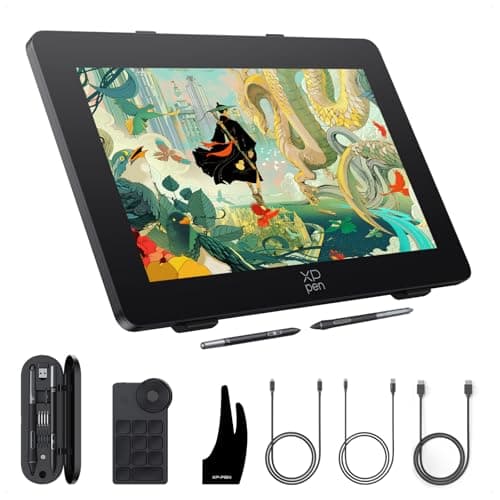
XPPen Artist Pro 24 Gen2 165hz Drawing Tablet with Screen, △E < 1 Graphic Tablet with Full Laminated AG Screen, Drawing Monitor with Dual 16384 Pen Pressure Battery-Free Stylus, Mini Keydial, 23.8"
Price History
Product Recommendation
Hey friend! If you’re in the market for a premium drawing tablet with screen, the XP-PEN Artist Pro 24 Gen2 might just be your next obsession—and right now it’s 18% off at $899 (was $1099.99)! Let me break down why this steal is worth every penny.
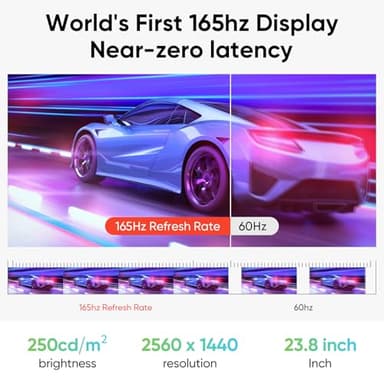
First off, its world-first 165Hz display is a game-changer. Animators and artists will love the ultra-smooth 2.5K QHD screen—say goodbye to lag, flicker, or eye strain. Plus, △E<1 color accuracy means your work looks exactly as vibrant and precise as you envision, right out of the box.
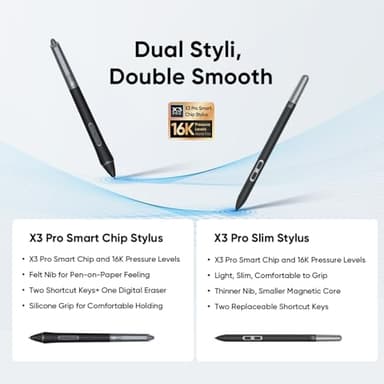
Dual battery-free styluses (with 16,384 pressure levels! 🤯) give you choice: one slim, button-free pen for portability, the other with a grippy silicone handle for marathon sessions. Both come with 28 extra nibs and a handy case/stand combo.
The anti-glare, anti-fingerprint screen feels almost like paper, and the wireless ACK05 keypad (with a tactile dial) keeps your setup tidy. Not to mention, it’s super compatible with PCs, Macs, even ChromeOS—perfect if you switch devices.
- ▶
Key Features
- ▶World's First 165hz Display: The Artist Pro 24 Gen 2 165hz is the world's first 165hz drawing display with 2.5K QHD (2560 x 1440) resolution, setting a new industry standard. With a 175% increase in line display speed over traditional 60hz displays, it offers near-zero latency. Tailored for animators and artists, effortlessly manages high-frame-rate videos and complex images by minimizing flickering, motion blur, and stuttering. Whether for creation or browsing, it effectively reduces eye strain and enhances visual comfort
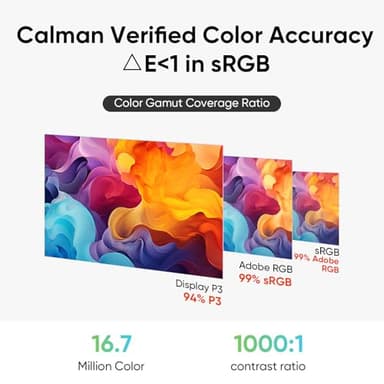
- ▶Calman Verified Color Accuracy: The Artist Pro 24 Gen 2 165hz features professional-grade color accuracy,△E<1 in sRGB, with 99% Adobe RGB, 99% sRGB, and 94% P3 color gamut coverage, a 1000:1 contrast ratio, and 250 cd/m² brightness. With ready-to-use calibration results right out of the box, this not only ensures vibrant color richness but also ensure accurate color display. Enabling professional artists and designers to create works that align with their vision
- ▶Dual Stylus, Double Smooth: The X3 Pro Slim Stylus is a lightweight stylus that features removable buttons to avoid accidental touches, while the X3 Pro Smart Chip Stylus has a comfortable silicone grip for long creative sessions. Both styluses are battery-free and have 16,384 pressure levels and a 60° tilt function for a smooth drawing experience. The pen case holds both styluses, acts as a stand, and includes 28 extra nibs and 2 detachable pen clips for easy replacement
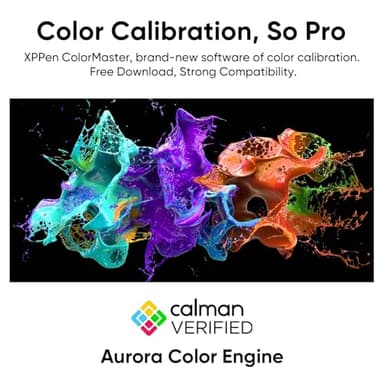
- ▶Color Calibration Software: XPPen ColorMaster, powered by Calman's Aurora Color Engine, ensures consistent, professional color performance on both Windows and macOS. It allows adjustments across three color spaces and provides a permanent color management service for Artist Pro 24 (Gen 2) users
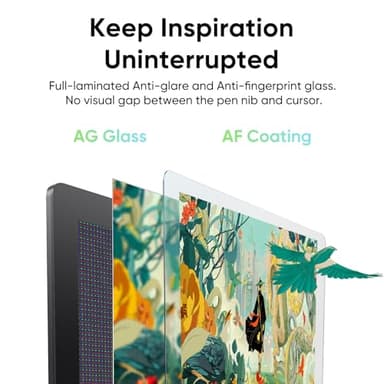
- ▶Paper-feel Drawing Experience: Featuring AG Nano Etched and AF Coating glass, this advanced technology, offers a paper-feel drawing experience by minimizing distractions with its anti-glare and anti-fingerprint properties. The full-laminated display eliminates visual gaps between the pen nib and cursor, enhancing precision and accuracy in every stroke
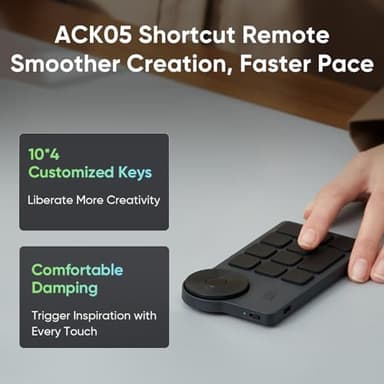
- ▶ACK05 Wireless Shortcut Keyboard: Featuring a standout physical dial for comfortable rotation and precise feedback, this remote boasts ten customizable keys. Awarded the Good Design Award 2023, it supports Bluetooth 5.0, enhancing your workspace flexibility and efficiency.
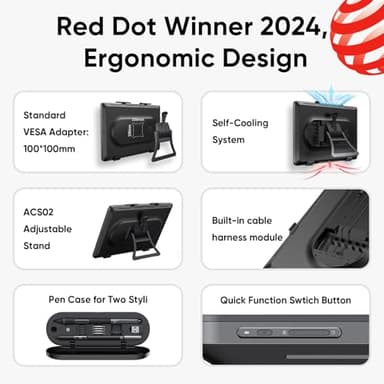
- ▶Flexible Stand: The ACS02 Stand supports single-handed angle adjustment from 16° to 72°, adapting to various creative environments for personalized comfort and reduced fatigue during long sessions. The optional ACS15 Stand offers additional height adjustment, under-desk creation, and rotation, enhancing versatility and comfort in the creative process
- ▶Clear Line Management: Connect the display to your computer using a USB-C, Display Port, or HDMI cable for seamless switching between devices like MacBooks and Windows laptops. The built-in cable harness enhances stability, while multi-functional buttons enable quick brightness adjustments and signal switching, reducing the need for frequent cable changes. PLEASE NOTE: It is NOT a standalone drawing tablet, you need to use it with your computer or laptop
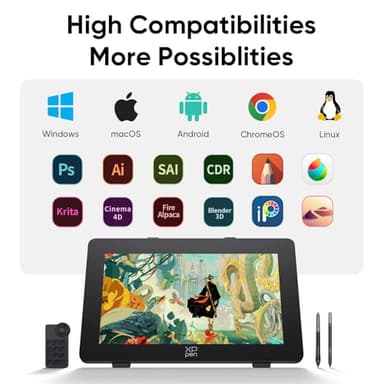
- ▶High Compatibility: Works smoothly with various systems and software. Compatible with Windows 7 (or later), macOS 10.13 (or later), Android (USB3.1 DP1.2), ChromeOS 88 (or later), Linux. Support popular digital art software such as Adobe Photoshop, Illustrator, SAI, CDR, Clip Studio Paint, GIMP, Krita, MediBang, FireAlpaca, Toonboom, Maya, and Blender3D, etc.
- ▶What You Get: X3 Pro Stylus, X3 Pro Slim Stylus, Pen Clip, X3 Pro Slim Stylus nibs10,X3 Pro Stylus Standard nibs10,Pen Case with Nibs (X3 Pro Slim Stylus nibs 4, X3 Pro Stylus felt nibs4), Wireless Shortcut Remote and Bluetooth Receiver, Power Adapter and Power Cord, DisplayPort Cable, HDMICable, USB-C to USB-C Cable, USB-C to USB-A Cable, Glove, Cleaning Cloth, S02 Stand
![[2026 Upgraded] Mini Projector Support 4K 1080P FHD Auto Keystone 270° Rotatable with WiFi 6 and Bluetooth 5.2 Projector Portable Compatibile with HDMI/TV Stick/Memory Stick/Laptop,White](/_next/image?url=https%3A%2F%2Fm.media-amazon.com%2Fimages%2FI%2F51wWEUkWXVL._SL500_.jpg&w=640&q=75)