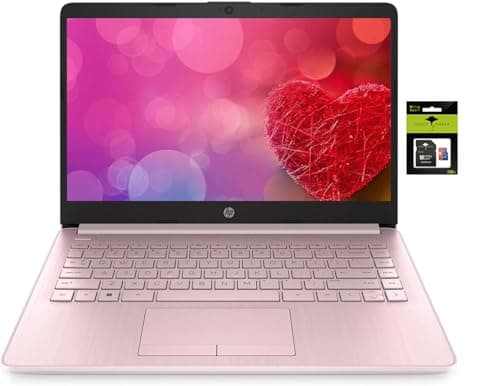
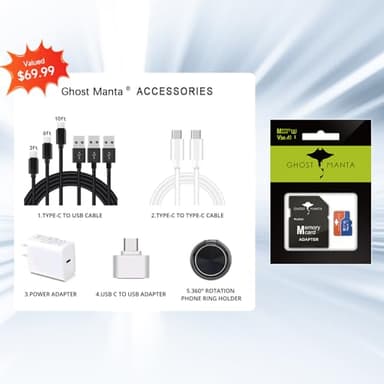
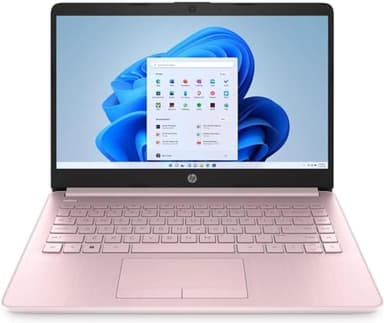
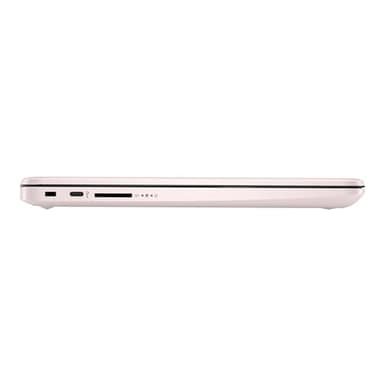

HP 14 Computer-Laptop, Quad-Core Intel Celeron Processor Premium Portable 16GB RAM 256GB Storage(64GB eMMC+ 256GB Ghost Manta SD Card) Student-Laptop with 1 Year Office 365 HDMI Win11
By HP
Last checked 6mo ago
(0 reviews)
0
$589.99
ASIN:
B0F3JGPRN3
Product ID:
40220
Price History
Current Price
$
Highest Price
$-Infinity
Lowest Price
$Infinity
Product Recommendation
Hey Friend! Need a Laptop That Doesn’t Cost an Arm and a Leg?
Let me tell you about this HP 14 Laptop—it’s a total steal at $589.99! Perfect for students or anyone needing reliable tech without breaking the bank.
Why you’ll love it:
- ▶16GB RAM? Yes, please! Smooth multitasking for homework, streaming, or binge-watching—no lagguh.
- ▶Quad-Core Intel Celeron N4120 processor keeps up with daily tasks like a champ.
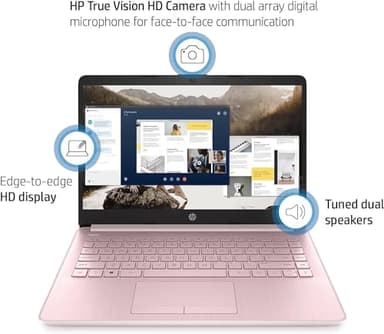
- ▶14" HD screen with slim bezels? Great for studying or watching shows on the go.
And the perks keep coming:
- ▶Free Office 365 pre-installed—Word, Excel, PowerPoint ready to go. Just sign in!
- ▶256GB storage (64GB + a nifty 256GB SD card)—plenty of room for files and fun.
- ▶Windows 11 in S mode keeps things secure, but easy to switch to regular Windows if you want.
For under $600? This is a solid deal. Grab it before someone else does! 🚀
Key Features
- ▶【14-inch HD Laptop Pre-Installed Microsoft Office 365】HP 14" Laptop with HD, micro-edge, BrightView display. Enjoy an immersive multimedia experience with a slim bezel design and maximized viewing area. Work efficiently with essential productivity tools like Word, Excel, and PowerPoint, ready to use upon setup.
- ▶【Fast & Efficient Intel Celeron N4120 Processor】 The quad-core Intel Celeron N4120 CPU delivers reliable speed for everyday computing, web browsing, and light productivity tasks.
- ▶【Powerful 16GB RAM】 Enjoy seamless multitasking with upgraded 16GB memory, allowing smooth performance for work, study, and entertainment without lag.
- ▶【Windows 11 Home in S mode】You may switch to regular windows 11: Press "Start button" bottom left of the screen; Select "Settings" icon above "power" icon;Select "Activation", then Go to Store; Select Get option under "Switch out of S mode"; Hit Install. (If you also see an "Upgrade your edition of Windows" section, be careful not to click the "Go to the Store" link that appears there.)
- ▶Activate pre-installed Office 365: 1.Launch any Office app > 2.Start your activation by signing in with your Microsoft account(Create a account if you don't have one yet) > 3.Click "Activative Office" > 4.Sign in your account and follow the next prompts. > 5.Complete Step 1,2 and 3 > 6.Click on Refresh once Office is ready > 7.Open a document and accept the license agreement.