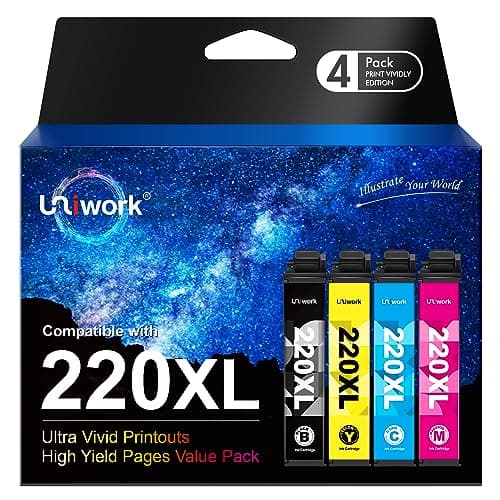
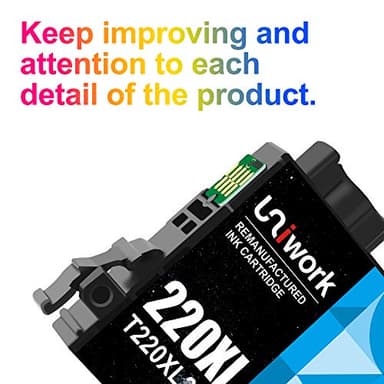



Uniwork Remanufactured 220 220XL Ink Cartridge Replacement for Epson 220XL use for Workforce WF-2760 WF-2750 WF-2630 WF-2650 WF-2660 XP-320 XP-420 Printer (1 Black 1 Cyan 1 Magenta 1 Yellow), 4 Pack
Price History
Product Recommendation
Hey friend! Did you see Uniwork’s 4-pack ink cartridges are 20% off right now? For just $15.98 (instead of $19.99!), you’re getting a full set of black, cyan, magenta, and yellow replacements that fit your Epson WorkForce or Expression printer perfectly. Perfect for those of you with a WF-2760, WF-2630, XP-320, or one of the other listed models—no guesswork needed here!
These remanufactured cartridges hold their own against pricier options, with up to 500 pages for black and 450 pages for each color (at 5% coverage). That’s a serious bang for your buck! Plus, they’re tested to work smoothly, so you won’t sacrifice quality for the savings.
Quick pro tip: If your printer gives you any static, just try wiping the contact points or resetting it—Uniwork’s instructions make it easy to fix. No coupon codes, no fuss—just hit “add to cart” and enjoy the instant discount. Don’t miss this deal! These inks will keep your printer humming without breaking the bank. 🖨️✨
- ▶Saves you cash with a 20% discount already applied
- ▶Perfect for Epson models listed—no compatibility worries
Key Features
- ▶Uniwork 4 Pack Remanufactured 220XL 220 Ink Cartridges replacement for Epson 220 XL 220XL T220XL Ink Cartridges (Note: Please do not touch and remove the chip. Do not touch the ink nozzles. )
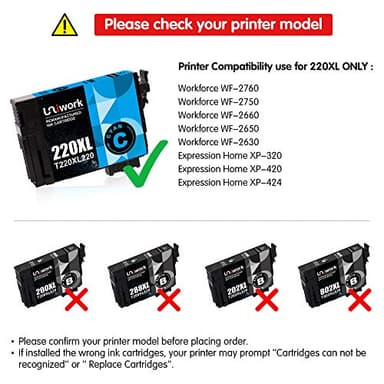
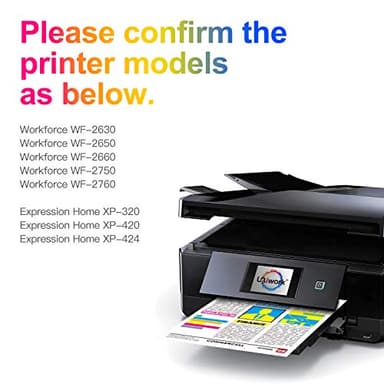
- ▶Compatible with: Epson WorkForce WF-2760, WorkForce WF-2750, WorkForce WF-2630, WorkForce WF-2650, WorkForce WF-2660, Expression home XP-320, Expression home XP-424, Expression home XP-420 Printer.
- ▶Page Yield: up to 500 pages per black 220 220xl ink cartridge & 450 pages per color 220 xl ink cartridge (at 5% coverage)
- ▶Package Contents: 1 x Black 220 220XL Ink Cartridges, 1 x Cyan 220 220XL Ink Cartridge, 1 x Magenta 220 220XL Ink Cartridge, 1 x Yellow 220 220XL Ink Cartridge
- ▶【Tips】If the cartridges are not being recognized by your printer OR do not work on your printer, please try the following troubleshooting steps. Normally this issue would be resolved ASAP. (1) Please take out the cartridges and gently wipe the contact points. Reinstall again and ensure all cartridges are individually well locked. (2) If the issues persists after returning the cartridge to its cradle, you will want to reset your printer. This can be done by turning off your computer and your printer with the cartridges installed. Unplug your printer and leave your machines off for 2 minutes.