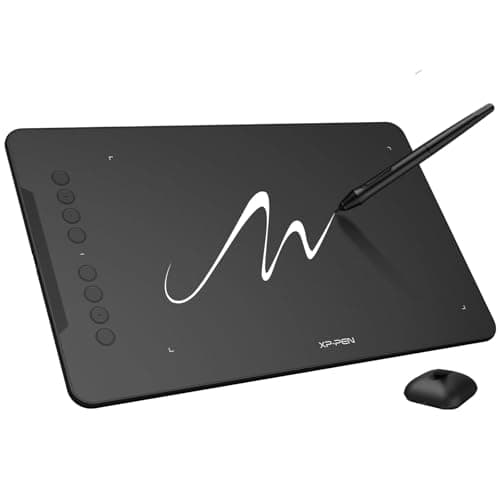
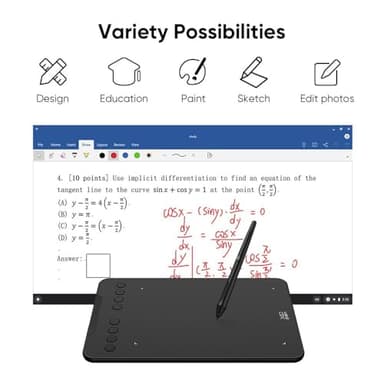
XPPen Updated Deco 01 V3 Drawing Tablet-16384 Levels of Pressure Battery-Free Stylus, 10x6 Inch OSU Graphic Tablet, 8 Hotkeys for Digital Art, Teaching, Gaming Drawing Pad for Chrome, PC, Mac, Android
Price History
Product Recommendation
Unleash Your Creativity with the XPPen Deco 01 V3 Drawing Tablet – Perfect for Beginners!
Elevate your digital art experience with the XPPen Deco 01 V3, a feature-packed drawing tablet designed to make creativity effortless and enjoyable. Whether you're a budding artist or a seasoned doodler, this tablet delivers professional-grade performance at an unbeatable price of just $59.99.
Precision Meets Simplicity
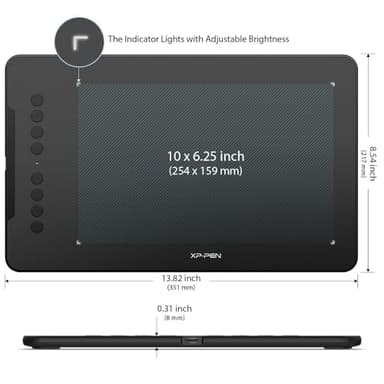
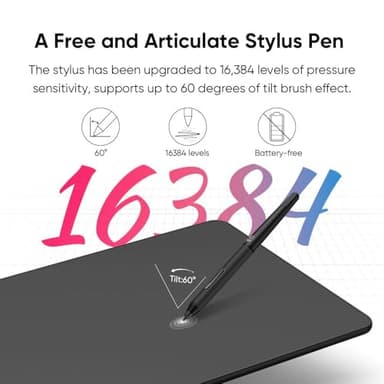
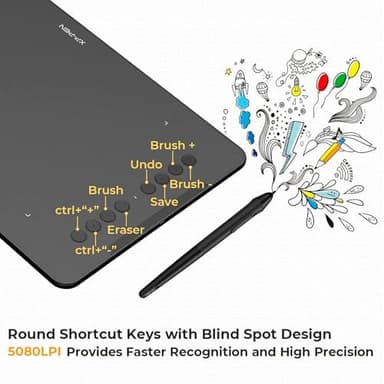
The upgraded battery-free stylus boasts 16,384 levels of pressure sensitivity and 60 degrees of tilt support, ensuring smooth, natural strokes just like a real pen. No charging, no hassle—just pure creativity at your fingertips. The 10 x 6.25-inch expansive drawing area gives you ample space to bring your boldest ideas to life, while 8 customizable shortcut keys (for both left and right-handed users) enhance workflow efficiency.
Seamless Compatibility & Easy Setup
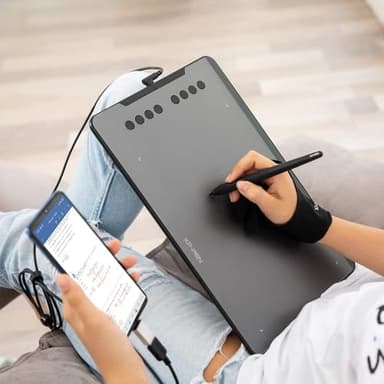
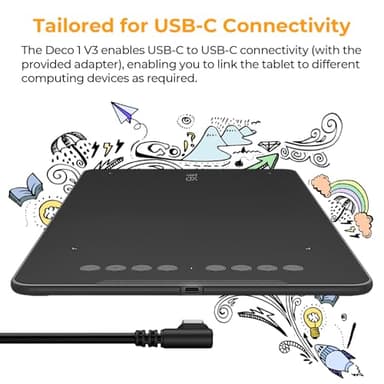
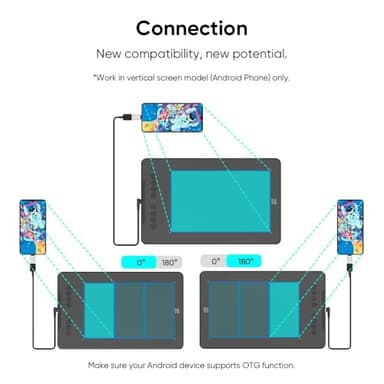
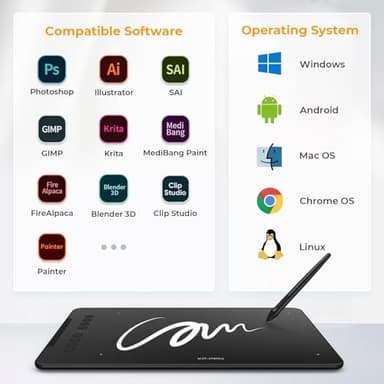
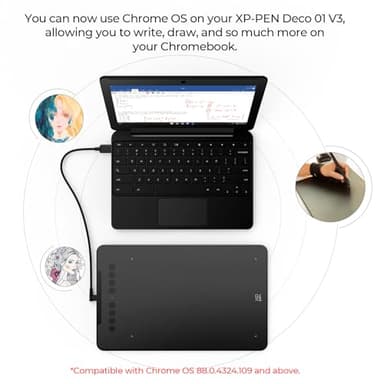
Perfectly adapted for Android 10.0+ devices, the Deco 01 V2 works flawlessly with smartphones and tablets—simply download the XPPen Tools app for precise screen mapping. It’s also compatible with Windows, macOS, Chrome OS, and Linux, supporting popular design software like Photoshop, Illustrator, and Clip Studio. With USB-C to USB-C connectivity (plus included adapters), setup is quick and frustration-free.
Portable & Beginner-Friendly
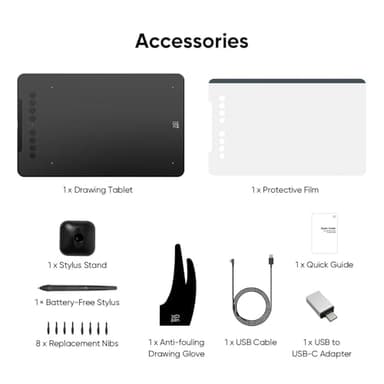
At just 8mm thin, this lightweight tablet is ideal for artists on the go. Slip it into your backpack and sketch anytime, anywhere—even in low light, thanks to its illuminated drawing area. The package includes everything you need: stylus, spare nibs, glove, protective film, and more!
Don’t let complexity hold you back—start your digital art journey today with the XPPen Deco 01 V3, where innovation meets affordability!
Key Features
- ▶Word-first 16K Pressure Levels: The upgraded stylus features 16,384 levels of pressure sensitivity and supports up to 60 degrees of tilt, delivering smoother lines and shading for a natural drawing experience. With no battery or charging needed, it operates like a real pen, making it easy for beginners to create effortlessly. This functionality helps novice artists develop their skills and explore their creativity without the intimidation of complex tools
- ▶Designed for Beginners: This drawing pad desinged with 8 customizable shortcuts for both right and left-hand users, express keys create a highly ergonomic and convenient work platform
- ▶Perfectly Adapted for Android: The XPPen Deco 01 V3 art tablet supports connections with Android devices running version 10.0 and above. It is recommended to download the XPPen Tools Android application, which adapts to your smartphone's screen aspect ratio, ensuring accurate mapping. It also supports mapping on Android screens with different aspect ratios in portrait mode
- ▶Large Drawing Space, Bigger Bold Inspiration: This expansive drawing pad has10 x 6.25-inch helps you break through the limit between shortcut keys and drawing area
- ▶Easy Connectivity for Beginners: The Deco 01 V3 offers USB-C to USB-C connectivity, plus adapters for USB C. This ensures easy connection to various devices, allowing beginner artists to set up quickly and focus on their creativity without compatibility concerns. Whether using a laptop, tablet, or desktop, the Deco 01 V3 provides a seamless experience, making it an ideal choice for those just starting their digital art journey
- ▶Lightweight and Portable: The Deco 01 V3 tablet is just 8 mm thin, making it lightweight and easy to carry. Perfect for beginners, it fits easily in your backpack, allowing you to practice drawing or note-taking wherever inspiration strikes. Its compact size encourages frequent use, helping you build your skills on the go
- ▶Digital Drawing Tablet: Strong Compatibility-The Deco 01 V3 is compatible with Windows 7 (or later), Android 10.0 or later), mac OS 10.13 (or later), Chrome OS 88 (or later) and Linux. Also compatible with many major designer software such as Photoshop, $Al, Painter, llustrator and Clip Studio, etc.*Please update your Windows to version 11 or Mac OS to version 12 first
- ▶Graphics Tablet: High Tech IC-We’ve adopted the newest High Tech IC, to make lines flow smoother and perform better. The Deco lights up on the ends of the drawing area, so you can create, even in the dark
- ▶What You Get: 1 x Deco 01 V3 Drawing Tablet, 1 x Stylus, 10 x Nibs, 1 x Stylus Stand, 1 x Glove, 1 x Protective Film, 1 x USB-C to USB-A Cable, 1 x USB to USB-C Adapter