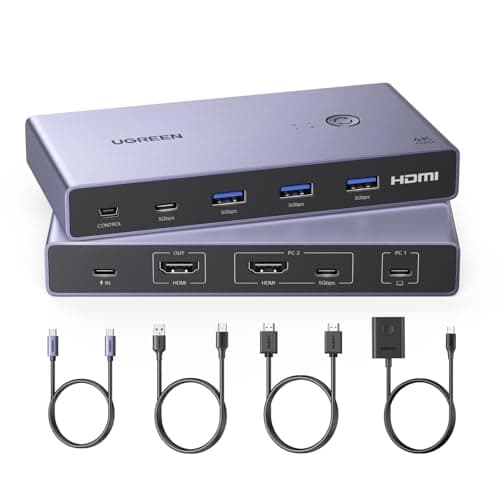
UGREEN USB-C+HDMI KVM Switch 1 Monitor 2 Computers with 4 USB 3.0 Ports 4K@60Hz Aluminum for 1 Laptop & 1 Desktop Share One Monitor Keyboard Mouse Printer with 1 HDMI Cable+2 Type-C Cables
Price History
Product Recommendation
Upgrade Your Workspace with the UGREEN USB-C+HDMI KVM Switch – Effortless Control for 2 Computers on One Monitor!
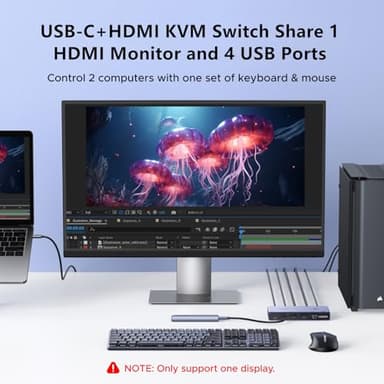
Tired of juggling multiple devices on your desk? The UGREEN USB-C+HDMI KVM Switch simplifies your setup by allowing one monitor and four USB peripherals (keyboard, mouse, hard drives, printer, etc.) to seamlessly switch between a USB-C laptop and a desktop PC—all with the press of a button. Perfect for multitaskers, gamers, or professionals who need centralized control without clutter.
Key Features:
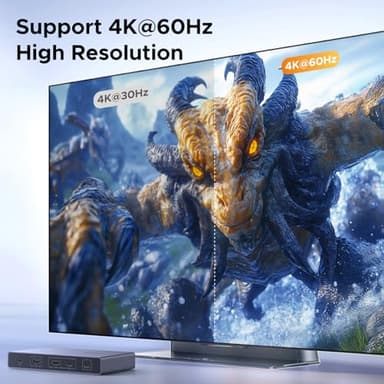
✔ 4K@60Hz Ultra HD Clarity – Enjoy stunning visuals with support for resolutions up to 4K@60Hz, HDR 10+, HDCP2.2, and 3D compatibility. Experience vibrant colors and lifelike detail whether you're working or gaming.
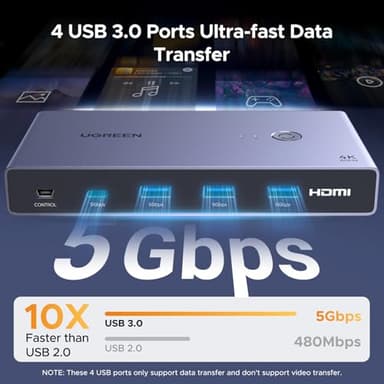
✔ High-Speed USB 3.0 Connectivity – Transfer files at blazing speeds (up to 5Gbps) across three USB-A ports and one USB-C port—ideal for external drives, printers, and more.
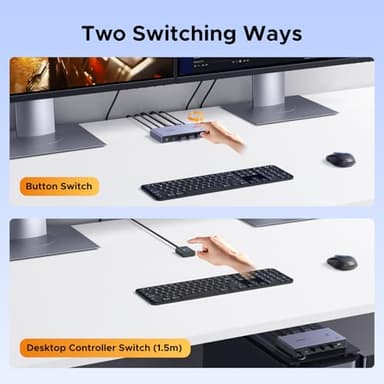
✔ Dual Switching Options – Toggle between devices instantly using either the one-button switch or included desktop controller—no software required!
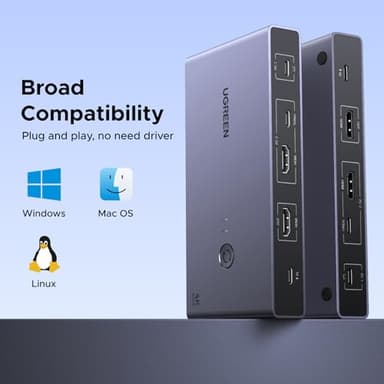
✔ Universal Compatibility – Works flawlessly with Windows, macOS, Linux, gaming consoles (PS5/PS4/Xbox/Nintendo Switch), projectors, and modern laptops like MacBook Pro/Air.
What’s Included:
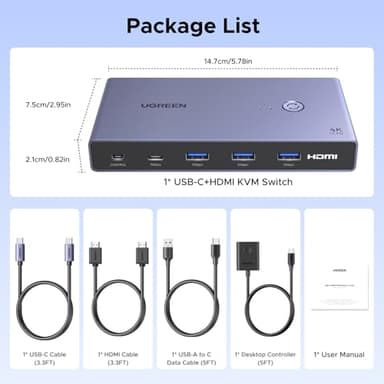
- ▶UGREEN KVM Switch
- ▶HDMI Cable
- ▶USB-C Cable
- ▶USB-A to C Data Cable
- ▶Desktop Controller
- ▶User Manual
Note: Requires HDMI + USB-A-to-C connection for PC2 (power adapter not included). Ensure laptops are awake before switching for optimal performance.
Streamline your workflow today—switch smarter with UGREEN’s powerful KVM solution! Only $99.99. Elevate your efficiency without breaking the bank!
Key Features
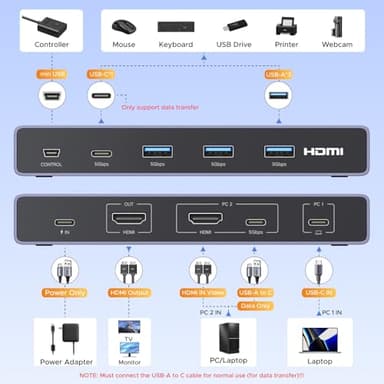
- ▶USB-C+HDMI KVM Switch 1 Monitor 2 Computers: This HDMI and USB C KVM switch allows a USB-C laptop and a computer to share one monitor and four USB devices such as a set of keyboard, mouse, hard drives, U disk, and printer. Centrally control your 2 computers on one monitor, which helps you switch effortlessly between work, gaming, or home setups with a single button. NOTE: The PC2 must connect an HDMI cable (for video transfer)+1 USB-A to C cable (for data transfer) for normal use
- ▶Support Up to 4K@60Hz: UGREEN KVM switches support the resolution up to 4K@60Hz, also support 4K@30Hz, 2560*1440@120Hz and lower resolution. This KVM switch HDMI+USB-C also supports HDMI 2.0, HDCP2.2, 3D, and HDR 10+, which makes images display more exquisite and realistic, color is more bright and moving, really giving a feast for your eyes
- ▶With 4 USB 3.0 Ports: This USB KVM switch has 3 USB-A 3.0 ports and 1 USB-C port for sharing USB flash drives, printers, mobile hard drives, U disk, and other USB 2.0 and USB 3.0 devices. USB 3.0 offers data transfer speeds of up to 5Gbps, while USB 2.0 only 480Mbps. It allows faster file and picture transfer to make work and life more convenient
- ▶Two Switching Ways & Package List: By One-Botton switch or desktop controller, freely switch between 2 computers, saving space on your desk and elevating your work efficiency. (Note: It doesn't support automatic switching and hotkey switching.) PACKAGE LIST: 1* USB-C+HDMI KVM Switch, 1* HDMI Cable, 1* USB-C Cable, 1* USB-A to C Data Cable, 1* Desktop Controller, 1* User Manual
- ▶Widely Used & plug and play: With wide compatibility, this HDMI and USB C KVM switch 2 computers supports Windows, macOS, and Linux systems, without the hassle of additional software or drivers. This KVM USB C is also compatible with computers, laptops, MacBook Pro, MacBook Air, Nintendo Switch/Switch 2, PS5/4/3, Xbox One, projector, etc
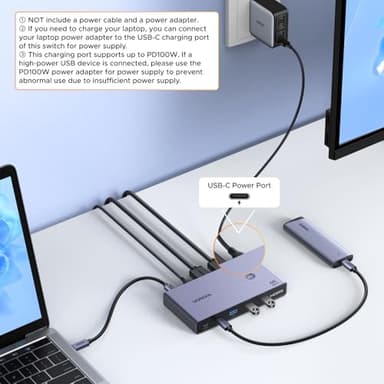
- ▶NOTE: 1, Only support One display. 2, Please MUST check the laptop is awakened from sleep mode before you switch. 3, The power cable and power adapter are NOT included. 4, If the power supply is not connected, connecting a high-power device to USB ports will affect the normal use of the KVM switch. Therefore, it is recommended to connect the power supply for normal use