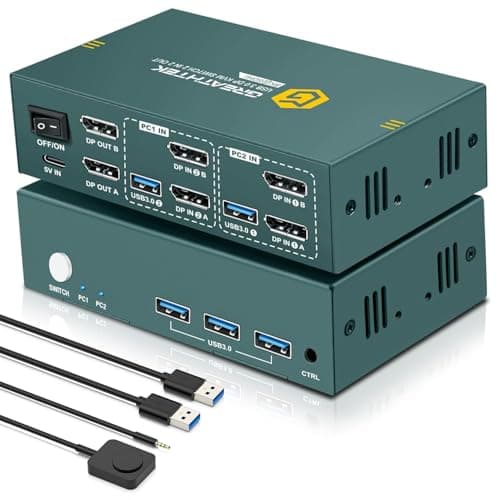
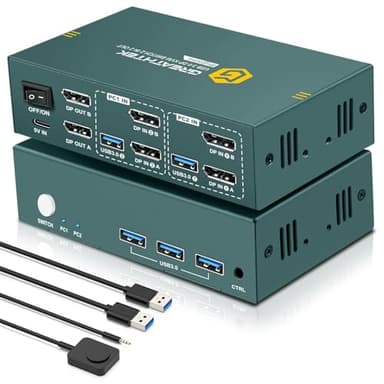
8K@60Hz Displayport KVM Switch 2 Monitors 2 Computers USB 3.0, 4K@240Hz KVM Switch Displayport with 3 USB 3.0 Ports Sharing Keyboard and Mouse, Printer/Scanner, Desktop Controller
Price History
Product Recommendation
Upgrade Your Workspace with the 8K KVM Switch for Dual Monitors & Computers
Maximize productivity and streamline your setup with this advanced KVM Switch for 2 Monitors and 2 Computers. Seamlessly switch between two host systems while sharing dual monitors and three USB 3.0 peripherals—perfect for professionals, gamers, or multitaskers who demand efficiency.
Crystal-Clear 8K@60Hz Visuals
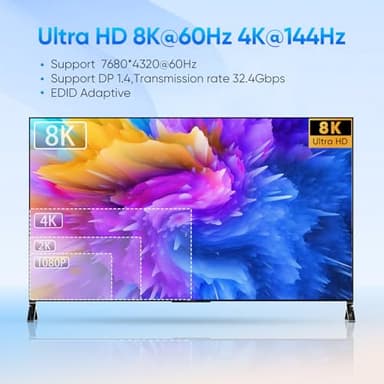
Experience stunning ultra-high-definition clarity with support for resolutions up to 8K@60Hz, backward compatible with 4K@240Hz, 120Hz, and lower. Enjoy buttery-smooth visuals for work or entertainment—just ensure your devices and cables (DP1.4) support 8K for peak performance.
SuperSpeed USB 3.0 Hub
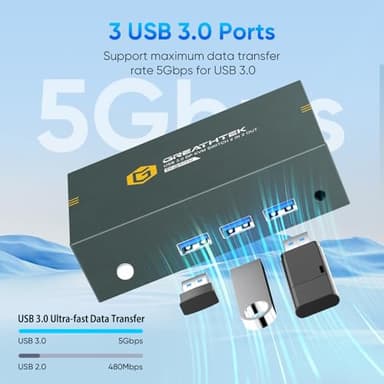
Equipped with three USB 3.0 ports (5Gbps), this KVM switch effortlessly connects keyboards, mice, printers, and more while staying compatible with USB 2.0 devices. (Note: High-power devices like external HDDs require a 5V/2A adapter.)
Flexible Switching & Hassle-Free Setup
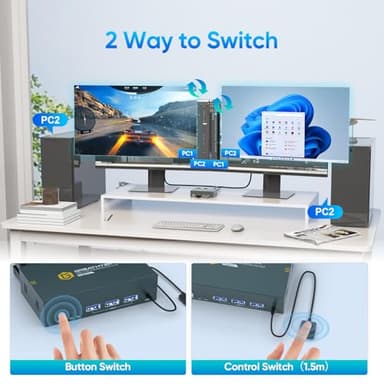
Toggle between computers instantly using the panel buttons or included wired remote control, keeping your desk clutter-free. LED indicators show active connections, and plug-and-play installation ensures quick setup—no drivers needed!
Broad Compatibility
Works flawlessly with PCs, laptops, Xbox consoles, and more across offices, classrooms, or conference rooms. Important: Each computer must support dual-screen output via two DisplayPort connections (adapters may be needed for systems without dual DP ports).
Limited-Time Savings: Just $64.77 (Was $99.99!)
Don’t miss this chance to elevate your workflow at a 35% discount. Backed by a 24-month replacement guarantee, this KVM switch is a smart investment in seamless multitasking.
Note: Test dual-monitor compatibility directly before purchase for optimal results. Upgrade today and transform how you work!
Key Features
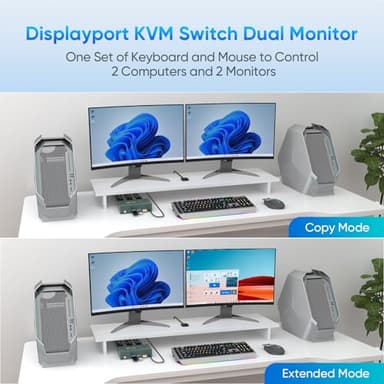
- ▶【KVM Switch 2 Monitors 2 Computers Displayport】This KVM switch displayport allows two computers to share two monitors and 3 USB3.0 devices. Support extended mode and copy mode. You can easily switch between two host computers to improve work efficiency
- ▶【8K@60Hz Ultra HD】The KVM switch displayport supports resolutions up to 8K@60Hz and is backward compatible with 4K@240Hz, 4K@120Hz, 4K@60Hz, 4K@30Hz and below. Those KVM Switch 2 Monitors 2 Computers can provide you with clear picture quality images and bring you excellent visual enjoyment. (Note: If maximum resolution is to be achieved, your computer and monitor need to support 8K resolution, and you need to use 8K DP1.4 cable to connect the device)
- ▶【USB3.0 KVM Switch】These KVM switch displayport makes work and life easier and more convenient. This KVM switch displayport is equipped with 3 USB3.0 ports and supports Super Speed USB 3.0 data transfer at up to 5Gbps.These displayport KVM switch not only recognizes USB devices such as keyboards, mice, printers, scanners, etc., but it is also backwards compatible with USB2.0 peripherals. (Note: An external 5V/2A adapter is required when connecting high-power devices such as hard disks.)
- ▶【Two Different Switching Methods】 The KVM switch displayport supports one-touch switching and desktop control, which can be operated by panel buttons or a wired remote control. The desktop controller of the DP KVM switch is easy to operate and hides the device to keep the desktop tidy.The LED indicators on the displayport KVM switch clearly show the currently connected computers.The dual monitors of the KVM switch are easy to install and are plug-and-play. (Hotkey switching is not supported)
- ▶【Wide range of Compatibility】 This KVM switch 2 monitors 2 computers displayport, plug and play, no driver required. DP KVM switch dual monitor supports connecting to a wide range of input devices including PCs, laptops, Xboxes, etc., and is widely used in offices, multimedia teaching, conference rooms, and other application
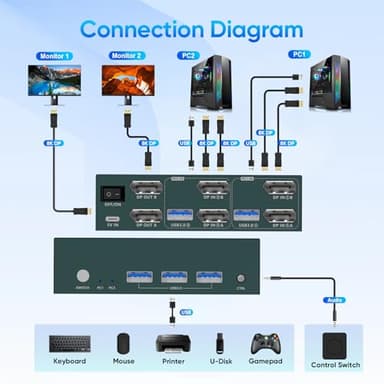
- ▶【Important Notes 1】 1. Please make sure that the computer you connect to itself supports at least two monitors working at the same time. 2.Keep the cable wires properly connected (refer to the picture connection schematic). 3. If you have any problems when using the KVM switch displayport,please contact our professional technical team for help, we provide 24 months replacement service for quality problems, so that you have no worries after the sale
- ▶【Important Notes 2】Each computer needs to be connected with 2DP cable + 1USB cable to get dual screen display properly. For computers that do not have 2 DP port, you will need to use them with a reliable adapter or USB C docking station to expand the DP signal. Before purchasing, please make sure that each of your computers can support dual screen display. Test method: You can connect your computer directly to 2 monitors (not via KVM)
![[Official Google TV]Smart Projector 4K Supported with WiFi & Bluetooth, Netflix-Licensed, Outdoor Movie Projector with DoIby Audio, Auto Focus, Home Theater Proyector WIMIUS G1 (Gray, Standard)](/_next/image?url=https%3A%2F%2Fm.media-amazon.com%2Fimages%2FI%2F51DC3fX1yQL._SL500_.jpg&w=640&q=75)