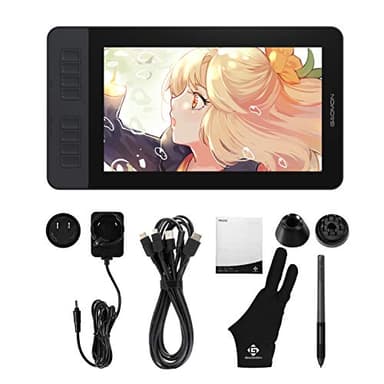
GAOMON PD1161 Drawing Tablet with Screen, Digital Art Tablet with Battery-Free Stylus, Tilt, 8 Shortcut Keys for Paint, Design, Illustration, Editing, 11.6-inch Graphics Tablet for Mac, Windows PC
Price History
Product Recommendation
Unleash Your Creativity with the GAOMON PD1161 Drawing Tablet
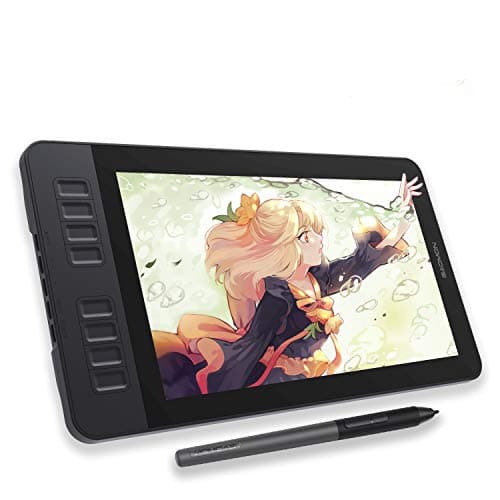
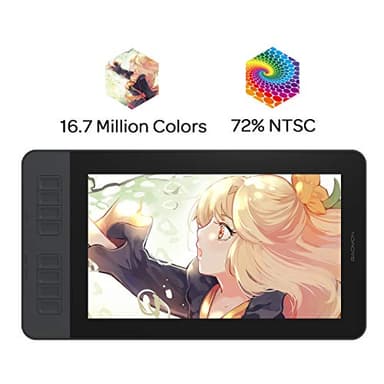
Elevate your digital artistry with the GAOMON PD1161, an intuitive 11.6-inch drawing tablet designed for artists, designers, and creative professionals. Featuring a full HD IPS screen with a pre-installed matte film, this tablet delivers a natural paper-like texture while reducing glare for comfortable, extended use. Whether you're sketching, painting, or editing images, the 72% NTSC (100% sRGB) color gamut and 16.7 million display colors ensure vibrant, lifelike visuals with smooth gradation—perfect for bringing your ideas to life.
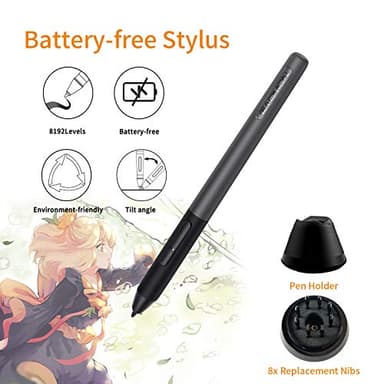
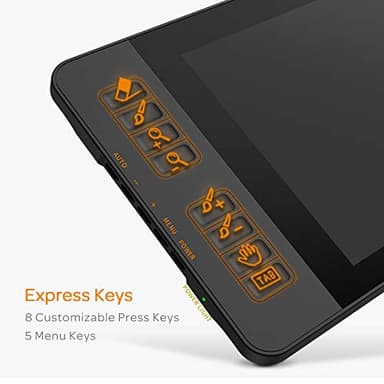
The included battery-free stylus (AP50) offers 8,192 levels of pressure sensitivity and tilt support, mimicking the precision of a traditional pencil without the hassle of charging. Customize your workflow effortlessly with 8 programmable shortcut keys and 2 pen buttons, streamlining your creative process for maximum efficiency.
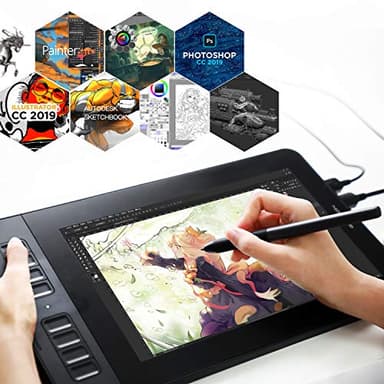
Designed for versatility, the PD1161 is compatible with Windows 7+ and macOS 10.12+, supporting top creative software like Photoshop, Krita, Blender, and more. Beyond art, it doubles as a powerful tool for note-taking, online education (Zoom, OneNote), and remote collaboration—making it ideal for students and professionals alike.
For just $199.99, this feature-packed tablet includes everything you need: a battery-free stylus, pen holder (with 8 replacement nibs), drawing glove, USB cable, AC adapter, and quick guide—backed by GAOMON’s reliable 1-year warranty.
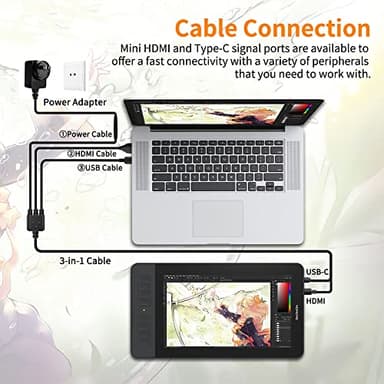
Note: Requires connection to a computer via HDMI/USB (adapter may be needed).
Upgrade your creative toolkit today—experience precision, comfort, and stunning visuals with the GAOMON PD1161!
Key Features
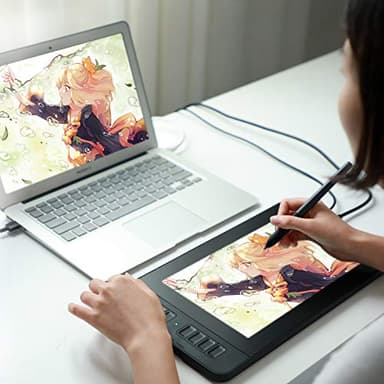
- ▶Please kindly note that GAOMON PD1161 drawing tablet is not a standalone tablet, It must be connected to a laptop or computer to work.
- ▶[Create Right On Screen]: Sketch, draw and paint directly on the full HD 11.6" IPS screen of GAOMON PD1161 drawing tablet. And the pre-installed matte film on display makes it feel like sketching on paper while reducing uncomfortable glare and reflection at the same time.
- ▶[Vivid Color Perfomance]: A combination of 72% NTSC (100% SRGB) color gamut and 16.7 million display colors enables to present your drawings in a more lifelike way with smoother color gradation on this drawing tablet for pc.
- ▶[Battery-free Stylus AP50 ]: Say goodbye to the hassle of charging, GAOMON PD1161 graphics tablet includes a battery-free pen AP50 with 8192 levels of pressure sensitivity and tilt function, which is easy to control, giving you the familiar feel of standard pencil.
- ▶[Customize Your Workflow]: The 8 press keys on the side of the PD1161 drawing monitor and 2 pen buttons can be programmble in the driver, which is great to get easy shortcus and improve workflow. Warm Reminder: it is not a standalone drawing tablet, so it should work with a computer running windows or mac OS.
- ▶[Widely Applicable]: GAOMON PD1161 is more than just the ideal pen display tablet for beginner artist to draw, edit image or do design work. It also can be a digital writing pad to take notes, create mind-maps, draw diagrams, collaborate and more.
- ▶[Versatile Compatibility]: GAOMON PD1161 digital drawing tablet works with PC (Windows 7 or later) and Mac (macOS 10.12 or later). It is compatible with wide range of creative softwares including Krita, Medibang, Blender, Photoshop, Sai, as well as many other applications and platforms for online education or remote work like OneNote, Microsoft Whiteboard, Zoom, etc.
- ▶[ What's in the box]: GAOMON PD1161 graphics drawing tablet comes with 1x battery-free stylus, 1x pen holder, 8x replacement nibs, 1x drawing glove, 1x 3 in 2 USB cable, 1x AC adapter, 1x quick guide.
- ▶GAOMON drawing tablet with screen/graphics tablet come with 1-year warranty, along with best customer service our support staff can provide. You can contact us for any questions that you may have. Note that your laptop/desktop needs to have HDMI and USB ports available for the connection, or you need an extra converter(It depends on what ports that your laptop/desktop has) for the connection. Kindly remind if your laptop cannot supply enough power to run, please connect the power adapter.
![[Official Google TV]Smart Projector 4K Supported with WiFi & Bluetooth, Netflix-Licensed, Outdoor Movie Projector with DoIby Audio, Auto Focus, Home Theater Proyector WIMIUS G1 (Gray, Standard)](/_next/image?url=https%3A%2F%2Fm.media-amazon.com%2Fimages%2FI%2F51DC3fX1yQL._SL500_.jpg&w=640&q=75)