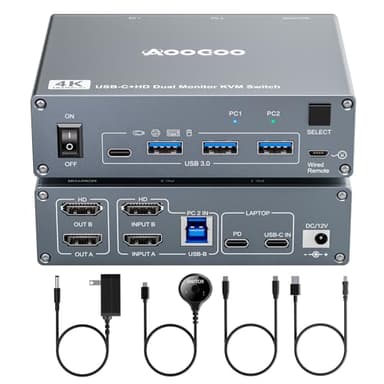
USB C KVM Switch 4K@60Hz,Dual Monitor USB C HDMI KVM Switch for 1 PC and 1 Laptop Sharing 2 Monitor and 4 USB3.0 Devices, PD Power for Laptop with Wired Remote Control and USB Cables Included
By AOOCOO
Last checked 5mo ago
(23 reviews)
0
$116.99
ASIN:
B0F2HWXFXP
Product ID:
137739
Price History
Current Price
$
Highest Price
$-Infinity
Lowest Price
$Infinity
Product Recommendation
Hey friend!
Need to juggle your desktop and laptop but hate clutter? This AOOCOO USB-C KVM Switch is your productivity lifesaver—and it’s 21% off right now!
Why you’ll love it:
- ▶Share 2 monitors, 1 setup: Plug in your PC and laptop, flip between them with a button or remote, and keep both screens running smooth at 4K@60Hz. No more swapping cables!
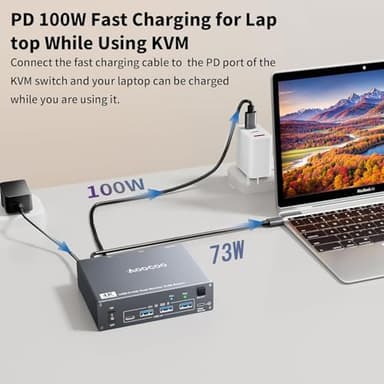
- ▶Power + ports galore: Get up to 100W PD charging (actual charge: 73–85W—still great for keeping your laptop fueled) plus 4 USB 3.0 ports for peripherals.
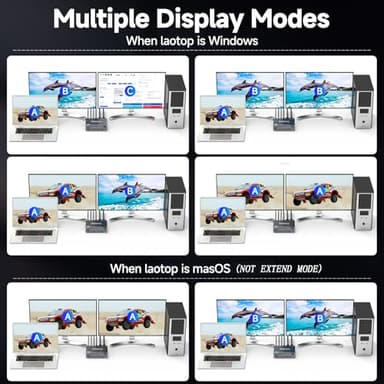
- ▶Easy as plug ‘n’ play: No drivers, no hassle. Switch modes for extended or mirrored displays (Windows only—Mac just gets mirror, sorry).
Bonus perks: The wired remote lets you stash the KVM out of sight, and the deal? $94.99 instead of $119.99! Grab it before the discount disappears. Your workspace (and your sanity) will thank you! 🚀
Key Features
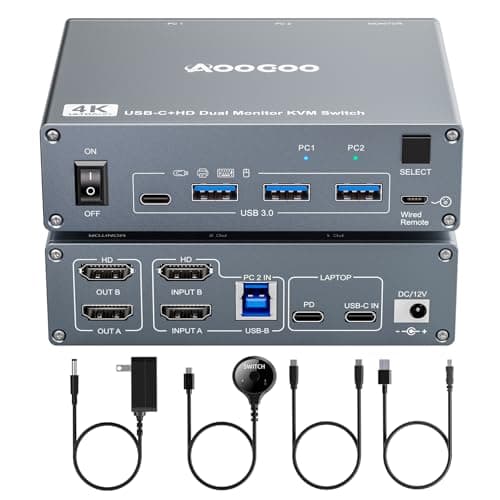
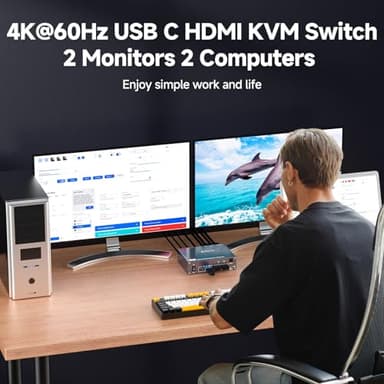
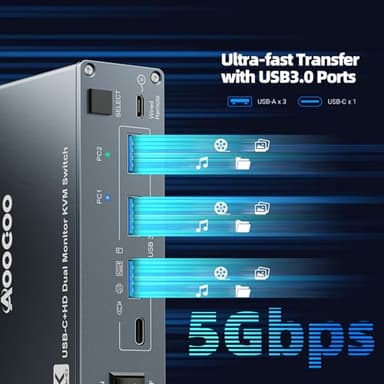
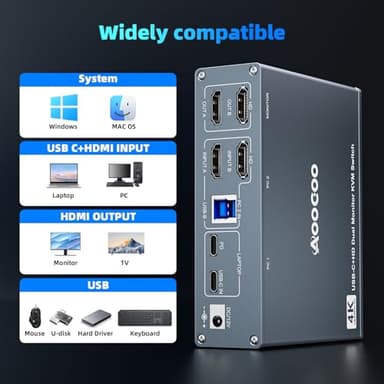
- ▶【7-in-1 KVM Docking Station】Unleash the potential of this KVM switch for 1 laptop and 1 desktop with multiple shared peripheral ports, like 3x USB 3.0, 1x USB-C, 1x PD charge, and 2x HDMI (4K@60Hz)outputs. Make your work from home more convenient and easier than ever before.
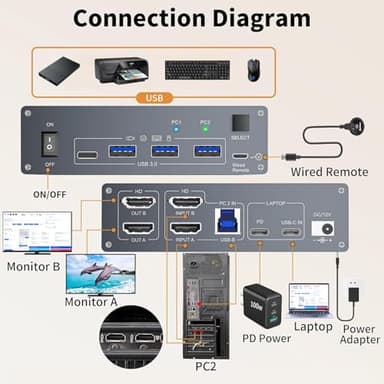
- ▶【USB C Dual Monitor KVM】The docking station KVM switch connects 1 laptop+1 desktop and 2 monitors with 1x USB-C (MST)+dual HDMI inputs and 2x HDMI outputs. Seamlessly switch between your work desk and personal laptop to boost your productivity with this USB-C HDMI KVM switch.
- ▶【100W PD Fast Charging】This USB C HDMI KVM switch is equipped with a PD charging port, which can provide sufficient power for your laptop during use. However, the actual charging power obtained by the laptop is between 73W and 85W, because the KVM itself and the cable will generate some power consumption, and the laptop itself has a protection mechanism, so it is impossible to obtain 100W power.
- ▶【Extension Mode and Copy Mode】Note: Only support mirrored output on macOS. USB-C KVM Switch 2 Monitors supports extension mode and copy mode for Windows laptops and desktops.
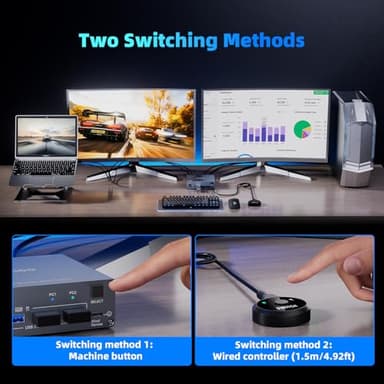
- ▶【Easy Switching】Plug and play, easy installation, no driver required, two switching methods are provided: press the selection button on the KVM to switch; use the desktop extension button to switch, the KVM Switch can be placed under the desktop or outside the workspace to make the desktop more concise. Note: Keyboard shortcuts (hot keys) are not supported for switching
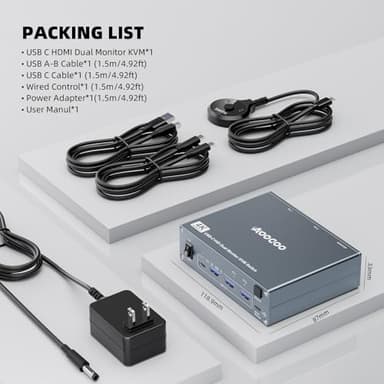
- ▶【Packing List】 USB C HDMI KVM Switch, 1 USB C cable for audio and video signal transmission, 1 USB3.0 A-B cable, 1 DC12V power adapter, 1 wired controller, instruction manual