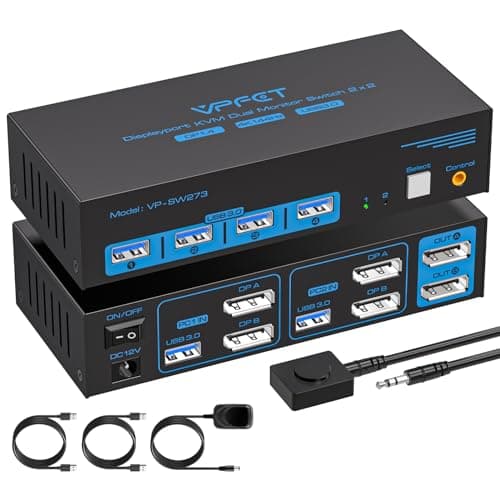
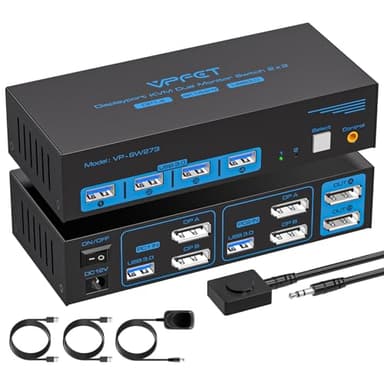
4K@144Hz Displayport KVM Switch 2 Monitors 2 Computers USB3.0 KVM Switch Dual Monitor for 2 Computers Share 2 Monitors and 4 USB Devices Support Extended/Copy Mode with Desktop Controller
Price History
Product Recommendation
Elevate Your Workspace with the Dual Monitor KVM Switch – Seamless Control, Ultra HD Performance
Take command of your dual-PC setup with the Dual Monitor KVM Switch DP 1.4, designed to streamline your workflow by effortlessly switching between two computers while sharing two monitors and four USB 3.0 devices. Whether you're a multitasking professional, a creative designer, or a tech enthusiast, this KVM switch delivers unmatched convenience and performance—all at an unbeatable price of $64.97 (originally $89.99—save 28%!).
Key Features & Benefits:
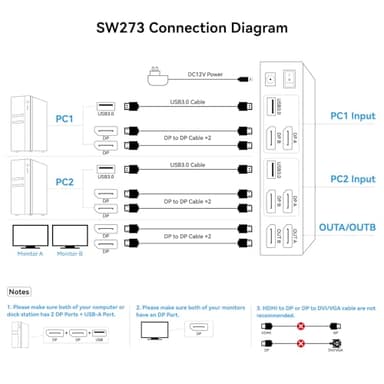
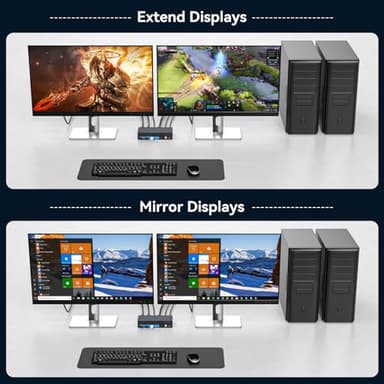
✔ Dual Monitor Support in Extended or Copy Mode – Connect two PCs to two monitors with ease. Each computer must have two DisplayPort outputs, ensuring flawless compatibility for high-resolution setups.
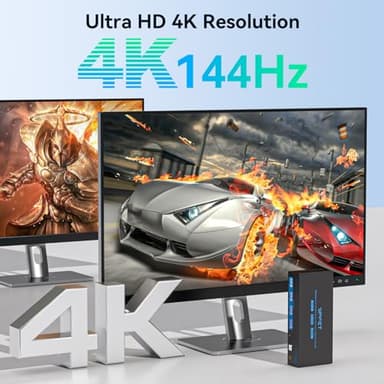
✔ Ultra HD 4K@144Hz Clarity – Experience breathtaking visuals with support for resolutions up to 3840x2160@144Hz, backed by DP 1.4 technology (backward compatible with DP 1.2). Enjoy lifelike colors and smooth motion for gaming, editing, or productivity—just ensure your graphics card and cables support the resolution.
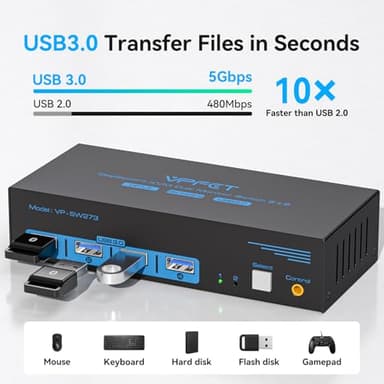
✔ Blazing-Fast USB 3.0 Connectivity – Transfer data at speeds up to 5Gbps (10x faster than USB 2.0!) across four front-panel ports, perfect for keyboards, mice, printers, and more. A dedicated USB 3.0 cable ensures seamless device recognition without driver installation.
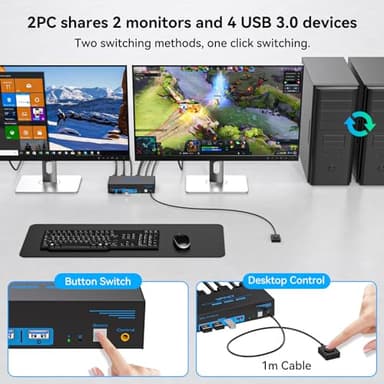
✔ Two Convenient Switching Methods – Toggle between PCs instantly using either the hardware button on the switch or the included desktop controller. LED indicators eliminate guesswork by showing the active device—no more unplugging cables!
✔ Stable Power & Plug-and-Play Setup – Includes a 12V DC power adapter for reliable operation and comes with everything you need (except DP cables—use high-quality DP 1.4 cables under 3.3ft for optimal performance).
Important Notes:
- ▶🔹 Not compatible with HDMI-to-DP adapters or Mac devices.
- ▶🔹 Each PC requires two separate DP connections.
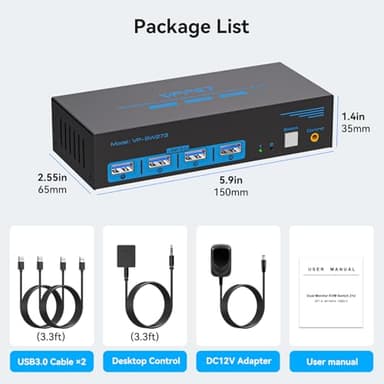
- ▶🔹 Includes: KVM switch, desktop controller, USB 3.0 cables (2), power adapter, and user manual.
Key Features
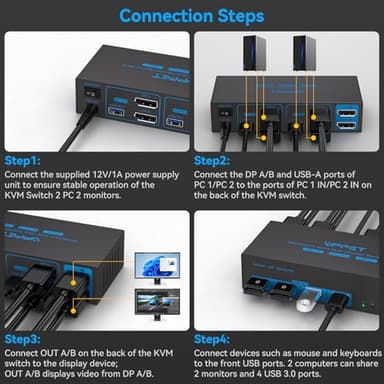
- ▶【Connection Steps】Step 1: Connect the supplied 12V/1A power supply unit to ensure stable operation of the KVM Switch 2 PC 2 monitors. Step 2: Connect the DP A/B and USB-A ports of PC 1/PC 2 to the ports of PC 1 IN/PC 2 IN on the back of the KVM switch. Step 3: Connect OUT A/B on the back of the KVM switch to the display device; OUT A/B displays video from DP A/B. Step 4: Connect devices such as mouse and keyboards to the front USB ports. 2 computers can share 2 monitors and 4 USB 3.0 ports.
- ▶【Read Before Buying】1. Each computer needs to be connected to the KVM switch via two DP cables instead of one; 2. In the entire setup, HDMI to DP or DP to HDMI conversion cables or adapters are not supported; 3. Both computers need to have two DP outputs, and each monitor needs at least one DP input; only when these three conditions are met can the switch function. Note: For compatibility reasons, it is not recommended to use a KVM switch with Mac devices
- ▶【Dual Monitor KVM Switch Displayport】Dual Monitor KVM Switch DP 1.4 allows you to switch freely between 2 PCs or other signal source, and share 2 monitor and 4 USB devices. KVM switches support Extended&Copy Mode. If you need to use 2 monitors, requires your computer to have 2 DP ports. The DP A and DP B ports on the product must be connected to the same computer.
- ▶【Ultra HD 4K@144Hz】The DP1.4 KVM Switches support max resolution up to 3840*2160@144Hz( 4K@144Hz) and is backward compatible with DP 1.2. Providing an incredible viewing experience with stunningly lifelike images and vibrant colors. Note: Final resolution is also subject to graphic cards, monitors, cables and adapters. Note: It is recommended to use 3.3ft length DP1.4 version cables for more stable operation and to avoid black screen splash screen.
- ▶【Dual Displayport USB 3.0 KVM Switch】This KVM switches has 4 USB 3.0 ports, supports video bandwidth up to 48Gbps, data transfer rates up to 5Gbps, which is 10 times faster than USB 2.0 ports. And is backwards compatible with USB 2.0 and USB 1.1 devices, which can recognize keyboard, mouse, printer and other USB devices.compatible with USB 2.0/1.1 devices. Note: A USB3.0 cable needs to be connected between the PC-KVM to properly recognize the 4 USB3.0 ports on the front panel of the KVM.
- ▶【2 Switching Methdos】The KVM switch Displayport 2 ports no driver requirede and plug and play. Support button and desktop controller to switch:1. Press the selection button on the switch to switch the signal source; 2. Use the desktop controller button to switch the signal source. The LED light shows the active device, solving the problem of frequent plugging and unplugging. NOTE: Supports only key and desktop controller switching, does not support hotkey (key combination) switching
- ▶【Important & Packing List】KVM switch 2 monitors 2 computers is equipped with a 12V DC power adapter. With the external power design, USB devices can obtain a stable working environment through the switch. Package includes: 1* KVM switch, 1* desktop controller, 2* USB3.0 cables, DC12V power adapter, 1* after-sales service card, 1* user manual (DP cable is not included in the package). If you have any questions, please email us through Amazon, we will contact you within 24 hours.