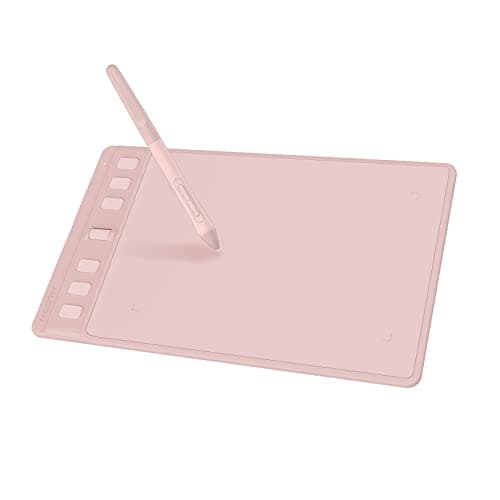

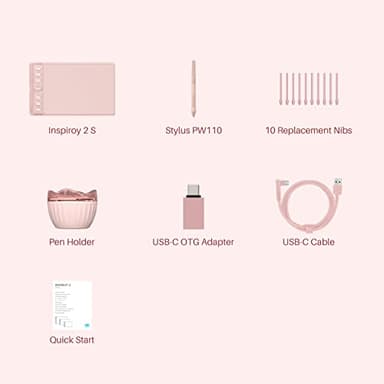
HUION Inspiroy 2 Small Drawing Tablet, Digital Art Tablet with Scroll Wheel, 6 Hot Keys, Battery-Free Stylus, Pink Graphics Tablet for Drawing, Design, Writing, Work with PC, Mac & Android
Price History
Product Recommendation
Unleash Your Creativity with the Huion Inspiroy 2 Drawing Tablet – Precision, Comfort, and Portability at an Unbeatable Price!
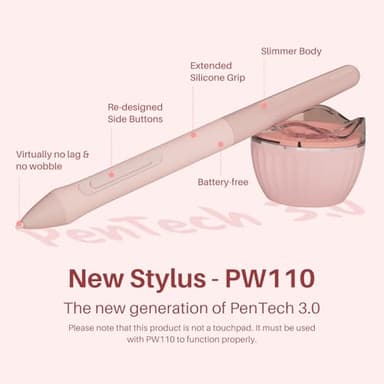
Elevate your digital artistry with the Huion Inspiroy 2 Drawing Tablet, now upgraded with PenTech 3.0 for unparalleled precision and control. Experience smooth, lag-free strokes that mimic the natural feel of a traditional pen—perfect for sketching, painting, or photo editing. The ergonomic PW110 stylus features a slimmer design, soft silicone grip, and customizable side buttons for effortless comfort during long creative sessions.
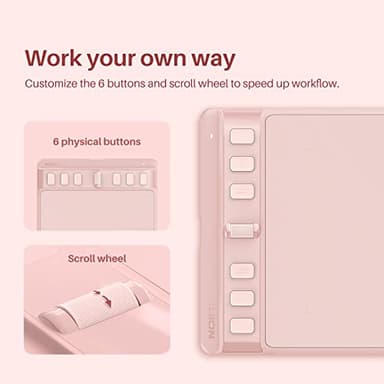
Boost your workflow with 6 programmable shortcut keys and a unique scroll wheel, allowing you to tailor the tablet to your favorite apps like Photoshop, SAI, or Medibang Paint. Whether you're a left-handed artist or need seamless switching between devices, this versatile tablet is compatible with Windows, MacOS (10.12+), Linux (Ubuntu), and Android (OS 6.0+), making it ideal for both desktop and mobile creativity.
Designed for portability, the ultra-slim Inspiroy 2 fits easily into your laptop bag—take it anywhere for on-the-go inspiration. Beyond drawing, it doubles as a signature pad, note-taking tool, or intuitive mouse alternative, reducing wrist strain while enhancing precision in tasks like document signing or online teaching platforms like Zoom and OneNote.
For just $49.99, this feature-packed tablet is an unbeatable gift for beginners or professionals diving into digital art. Note: Requires connection to a computer or smartphone via included cable.
Upgrade your creative toolkit today—the Huion Inspiroy 2 delivers professional performance without breaking the bank!
Key Features
- ▶[Advanced PenTech 3.0]: Upgraded from PenTech 2.0 to PenTech 3.0, Inspiroy 2 drawing tablet for pc offers amazing precision & control over every line with no noticeable lag & wobble, just like a standard pen.
- ▶[Ergonomics Pen Design]: The new digital stylus PW110 is improved designed with slimmer body, soft silicone grip & accessible side buttons for better ergonomics & comfort.
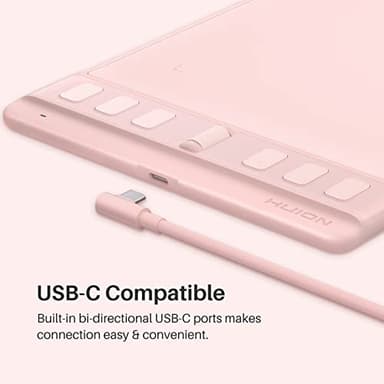
- ▶[Programmable Scroll & Shortcut Keys]: Unique scroll wheel & 6 press keys on the left of this drawing pad for computer can be customized to your favorite shortcut so that your creative work become smoother and more efficient. You also can change the setting for different apps.
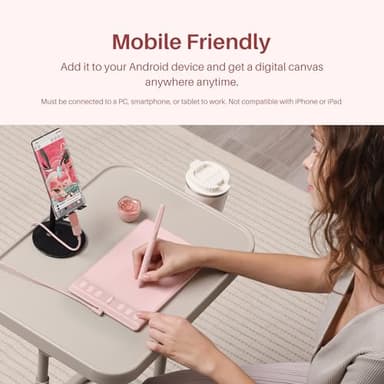
- ▶[Mobile Friendly]: Enjoy creating on your Inspiroy 2 graphics drawing tablet and see your drawings and paintings come to life on your Android smartphone or tablet (OS version 6.0 or later). It is also available for left-handed user.
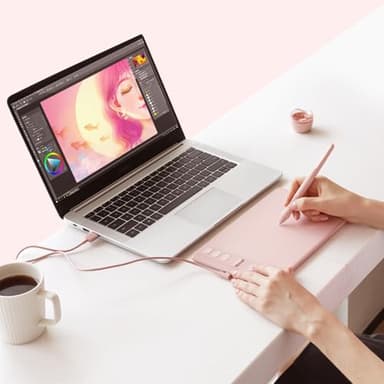
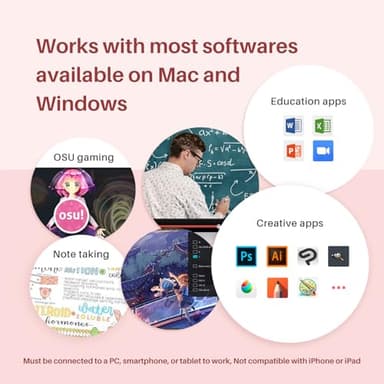
- ▶[Multi-OS Compatibility]: Inspiroy 2 digital drawing tablet is compatible with Mac (MacOS 10.12 or later), PC (Windows 7 or later), Linux(Ubuntu) and certain Android devices (OS version 6.0 or later).
- ▶[Ultra Portable]: The slim & compact design takes less desk space and makes it easy to carry between home, work and school. Inspiroy 2 Small pen tablet can be easily packed in your laptop bag for on-the-go creation.
- ▶[Versatile Digital Canvas]: Huion Inspiroy 2 Small is not only a digital drawing pad, but also a writing pad, signature pad or track pad for your tablet, laptop and desktop. It works well with most creative softwares like Photoshop, SAI, Medibang Paint, as well as many other applications and platforms for online education or remote work like OneNote, Microsoft Whiteboard, Zoom, etc.
- ▶[Intuitive Mouse Alternative]: Inspiroy 2 drawing tablet with pen makes a great mouse replacement. With this animation tablet, you can sign document, freehand draw, take digital note and do all of the functions of a mouse but better. It helps do precise work and save your wrist from strain.
- ▶[Gifts for Artist Beginner]: Huion Inspiroy 2 digital drawing pad is a great gift for those who are getting started drawing, painting or photo editing with their computer. Draw or write with a digital pen is much more natural and intuitive than using a traditional mouse.
- ▶Please note: The art tablet is not a standalone product and has no internal power source. It must be connected to a computer, laptop, or smartphone using the included cable to work.
![Hendari 2025 [Apple MFi Certified] (iOS Only) Air Tags 4 Pack, Bluetooth Tracker and Key Finder Compatible with Apple Find My, Works Like AirTags for Luggage/Suitcases/Backpack, Replaceable Battery](/_next/image?url=https%3A%2F%2Fm.media-amazon.com%2Fimages%2FI%2F41l5P1M5V0L._SL500_.jpg&w=640&q=75)