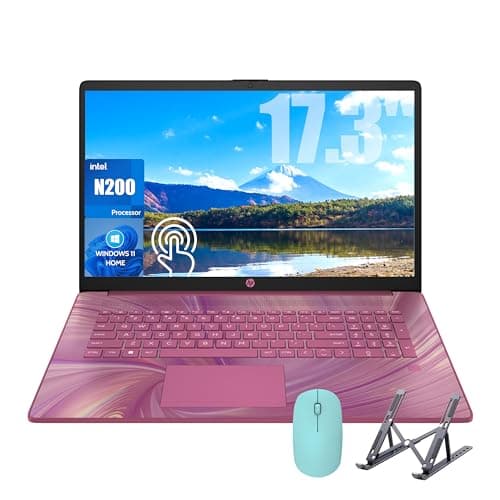
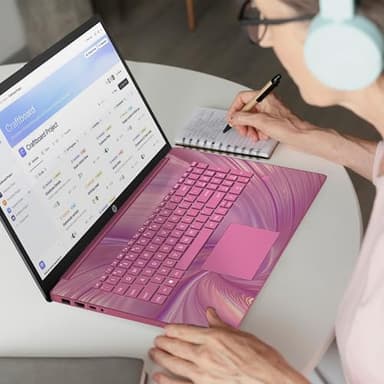
HP 17 Laptop, 17.3'' Touchscreen Display, Intel Quad-Core N200 Processor, 16GB RAM, 1TB SSD+128GB SSD, Webcam, Number Keypad, Windows 11 Home, Fatcayes Accessory, Sunkissed Plum (Renewed)
By HP
Last checked 8mo ago
(0 reviews)
0
$469
ASIN:
B0F9YFVKZ5
Product ID:
130597
Price History
Current Price
$
Highest Price
$-Infinity
Lowest Price
$Infinity
Product Recommendation
Your New Go-To Laptop Just Got Way More Friendly!
Hey friend! If you’re in the market for a seriously capable laptop without breaking the bank, let me tell you about this HP 17-inch Renewed gem. Priced at $469, it’s a steal for what you get!
- ▶Pack a punch with the Intel N200 Quad-Core processor—smooth multitasking for work, school, or light photo editing.
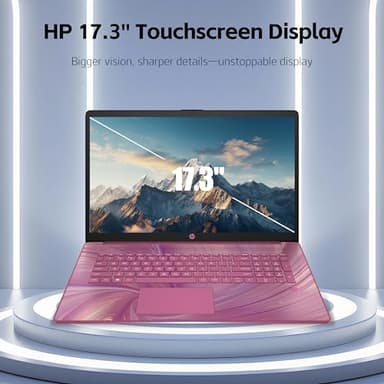
- ▶That BIG 17.3-inch touchscreen? Perfect for binge-watching, editing docs, or just enjoying a huge screen with minimal bezels.
- ▶16GB RAM means you can have 20 tabs and apps open without lagging, while the 1TB + 128GB SSD combo gives you tons of space for photos, videos, and files—plus superfast boot-ups!
- ▶Love the built-in webcam for Zoom calls and the number keypad for quick calculations? This has ya covered.
- ▶Windows 11 Home (no S mode!)—easy to switch out of S mode if needed (steps listed below).
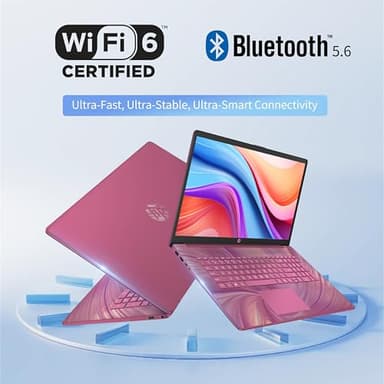
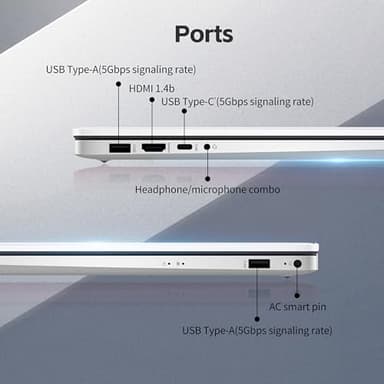
And guess what? No compromises on ports! Wi-Fi 6, Bluetooth, USB-C, HDMI, and more—connect whatever you need.
This Renewed laptop feels like new, but the price is
Key Features
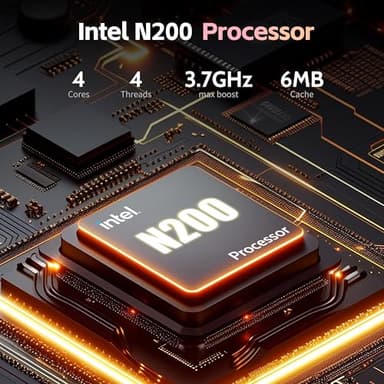
- ▶【Processor】: HP laptop equipped with Intel N200 Processor (4 Cores, 4 Threads, up to 3.7 GHz) with Intel UHD Graphics. The processor performance is for work and basic photo editing needs. The HP laptop computer is best choice for business, office, and student
- ▶【Display】: The HP laptop boasts a 17.3-inch touchscreen, HD+ (1600 x 900) display, with virtually no bezel encircling the display. Whether you're browsing the web, watching a video, or editing a document, you'll get a great visual experience
- ▶【RAM & Storage】: 16GB RAM ensures that large files, such as high-resolution images, videos, or databases, can be opened and edited smoothly. 1TB SSD+128GB SSD offering more than enough space for your files, photos, and videos, allows for fast bootup and data transfer
- ▶【Connectivity】: The HP 17 laptop built-in Wi-Fi 6 and Bluetooth 5.3 ensure a fast, reliable connection. 1 x USB Type-C, 2 x USB Type-A, 1 x HDMI, 1 x Headphone/Microphone Combo, 1 x AC smart pin; catering to your port needs
- ▶【Operating System】: Remove S Mode and switch to regular Windows 11: press the "Start" button on the bottom left of the screen; select the "Settings" icon; select "System" and "Activation", then go to Store; select the "Get" option under "Switch out of S mode"; and press Install
![[Official Google TV]Smart Projector 4K Supported with WiFi & Bluetooth, Netflix-Licensed, Outdoor Movie Projector with DoIby Audio, Auto Focus, Home Theater Proyector WIMIUS G1 (Gray, Standard)](/_next/image?url=https%3A%2F%2Fm.media-amazon.com%2Fimages%2FI%2F51DC3fX1yQL._SL500_.jpg&w=640&q=75)
![[2026 Upgraded] Mini Projector Support 4K 1080P FHD Auto Keystone 270° Rotatable with WiFi 6 and Bluetooth 5.2 Projector Portable Compatibile with HDMI/TV Stick/Memory Stick/Laptop,White](/_next/image?url=https%3A%2F%2Fm.media-amazon.com%2Fimages%2FI%2F51wWEUkWXVL._SL500_.jpg&w=640&q=75)