
Phomemo M220 Label Maker, New Flagship 3.14 Inch Bluetooth Portable Thermal Label Printer for Barcode, Address, Labeling, Mailing, File Folder, Easy to Use, Support Phone&PC
Price History
Product Recommendation
Phomemo M220 Thermal Label Printer – Effortless, Ink-Free Labeling for Home & Business
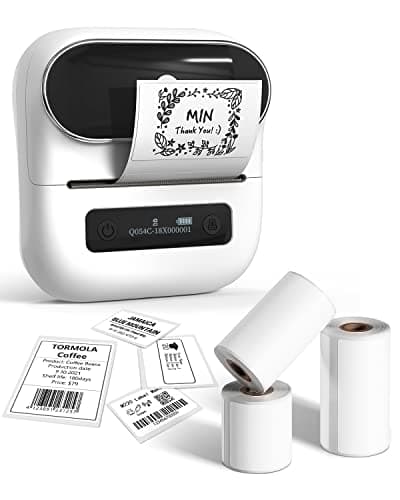
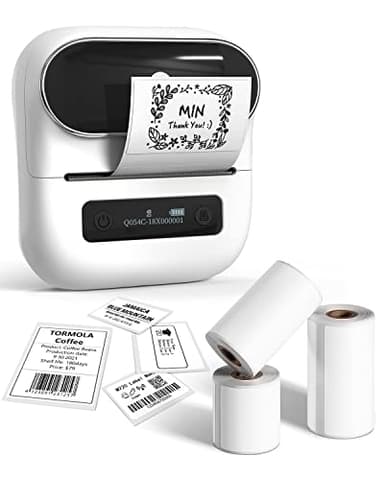
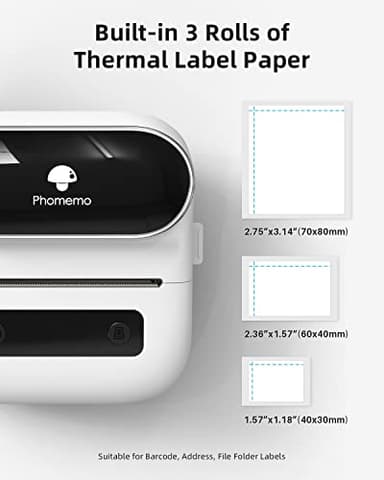
Say goodbye to messy ink, toner, and ribbons forever! The Phomemo M220 Thermal Label Printer revolutionizes your labeling experience with advanced thermal technology—just load the labels and start printing. Included are 3 rolls of labels (40x30mm, 60x40mm, and 70x80mm) to get you started immediately. Plus, with a limited-time price of just $64.97 (regularly $81.23), you’re saving over 20% while upgrading your efficiency.
Powerful & Versatile Printing App
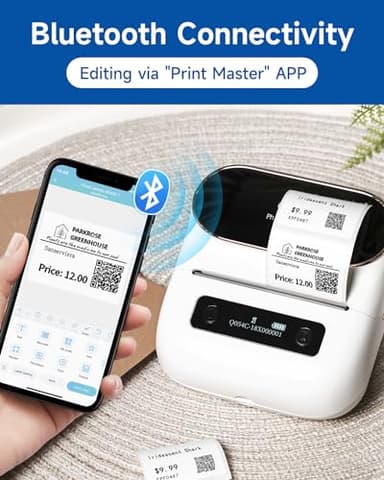
Unlock endless possibilities with the Print Master App, designed by Phomemo’s expert team. Create professional labels in seconds with built-in templates for text, barcodes, QR codes, images, forms, and hundreds of icons—perfect for retail, shipping, pricing, or organizing at home. No design skills needed!
Seamless Compatibility Across Devices
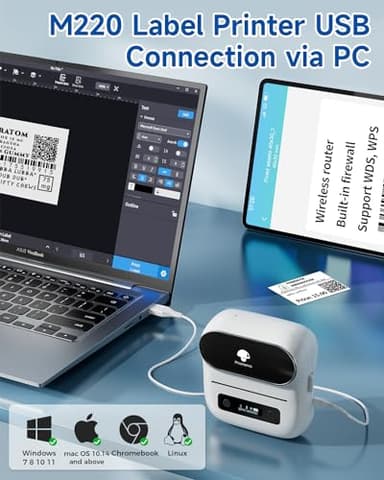
Whether you use iOS, Android, Windows 10, or macOS, the M220 has you covered. Connect via Bluetooth for mobile devices or USB for computers, ensuring flexibility wherever you work. (Pro tip: Watch the quick setup tutorial for hassle-free installation!)
Long-Lasting Battery & Portability
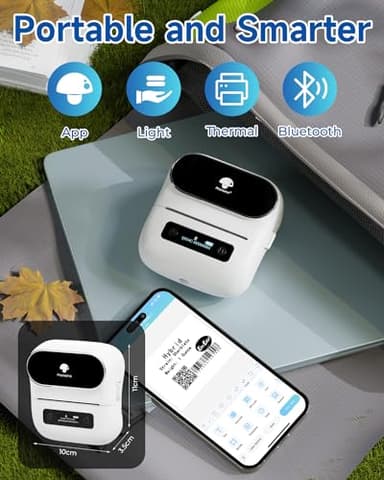
With a 2200mAh battery, this portable label maker delivers up to 36 rolls of continuous printing. The upgraded auto-sleep mode reduces power consumption by 25%, giving you 2-3 extra hours of use. Ideal for on-the-go entrepreneurs or busy households!
Endless Applications – Label Anything, Anywhere!
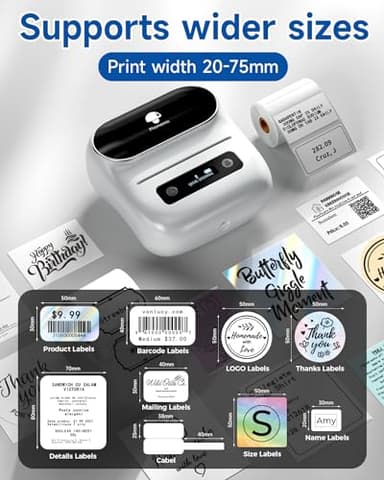
Perfect for small businesses (e.g., eBay sellers, crafters, retailers) or home organization—print address labels, barcodes, ingredient lists, logos, and more. Ditch handwriting forever and reclaim your time!
Easy Setup in Minutes:
- ▶Mobile/Tablet: Download Print Master, connect via Bluetooth in-app, and start printing.
- ▶Laptop/PC: Install the Labelife app + driver via USB for instant desktop printing.
Upgrade to smarter labeling today—order your Phomemo M220 now and enjoy professional results without the hassle!
Key Features
- ▶Thermal Label Printer- Never need the ink, toner, and ribbon again. This barcode label printer prints using thermal technology, meaning you only need to restock on labels, the thermal label maker come with 3 Rolls Labels(1 Roll 40x30mm label, 1 Roll 60x40mm label, 1 Roll 70x80mm label). It is recommended to choose other colors, which are more favorable
- ▶All-singing, All-dancing APP - Phomemo's R&D team create the Print Master APP for you, with a variety of built-in functions. One-click use: text, pictures, barcodes, QR codes, OCR, Form, hundreds of icons, and many pre-made templates for commercial and home use. Improve your efficiency. It is recommended to choose other colors, which are more favorable
- ▶High Compatibility - Not only Phomemo M220 label maker machine supports IOS, and Android mobile phone by bluetooth connection, but also supports USB connection for MAC and Windows 10. (WARNING: For your better experience, please be sure to watch the software installation tutorial on the page). It is recommended to choose other colors, which are more favorable. Attention: mobile device (phone, tablet) connect via Bluetooth should be on the App "Print master", can't connect with Phone directly.
- ▶Long Battery Life - Phomemo M220 Label Printer Upgrade 2200 mAh battery provides up to 36 rolls of continuous printing, newly added auto-sleep mode, which can reduce power consumption by 25% and extend the use time by 2-3 hours.
- ▶Widespread Use - M220 3.14 Inch Bluetooth label printer has an extensive variety of uses and creative possibilities. and Enjoy Labeling Anything Anywhere like Small businesses: clothing, crafts, retail, jewelry, eBay, etc. Labeling address, barcode, shipping, price, date, ingredients, logos labels for product. Save you a lot of time for handwriting labels, allowing you to focus more on your small businesses
- ▶Phone and Tablet Start Printing - Step 1: Download the App 'Print Master'. Step 2: Turn on the M220 label maker and your phone's or tablet's Bluetooth. Step 3: Click the 'Printer' icon in the App to search for the M220 portable label printer, connect it via Bluetooth in the App, select the label size, and edit the content to start printing
- ▶Laptop/PC Starts Printing - Step 1: Please check your laptop/PC's operating system (OS) and download and install the correct M220 driver and the 'Labelife' app from the Phomemo website. Step 2: Use the USB data cable to connect the M220 label maker to your computer. Step 3: Select the label size, edit the content, and choose M220 from the printer list