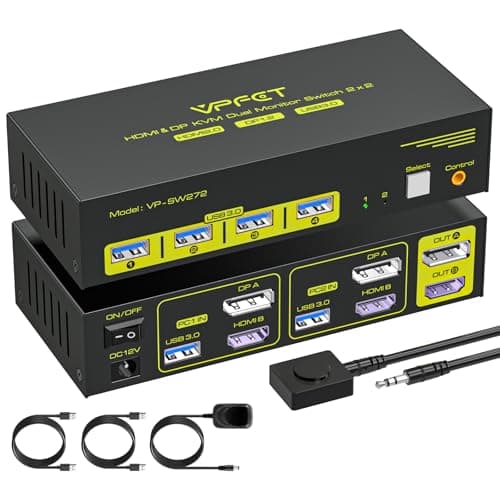
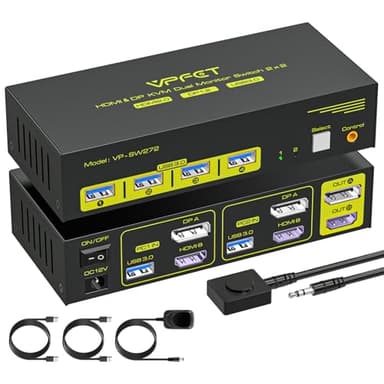
HDMI Displayport KVM Switch 2 Monitors 2 Computers 4K@60Hz DP KVM Switcher Dual Monitor for 2 Computers Share 2 Screens and 4 USB 3.0 Ports Support Extended/Copy Mode with Desktop Controller
Price History
Product Recommendation
Elevate Your Dual-Monitor Workstation with Our Advanced KVM Switch
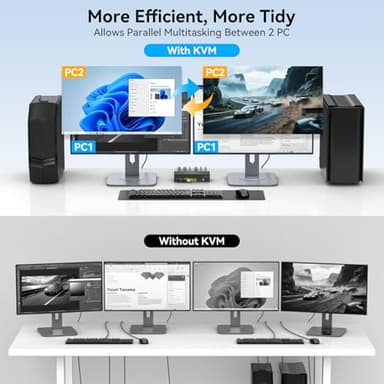
Transform your workspace with our high-performance Dual-Monitor KVM Switch, designed to seamlessly connect two computers to two monitors (DP + HDMI) while sharing peripherals effortlessly. Whether you're a multitasking professional, a creative designer, or a tech enthusiast, this KVM switch delivers unmatched convenience and crystal-clear visuals—all without the hassle of constantly swapping cables.
Key Features & Benefits:
✅ Dual-Monitor Flexibility – Supports both Extended & Copy Mode, allowing you to maximize productivity across two displays. Connect PCs via DP A + HDMI B ports (must be from the same computer) and enjoy smooth transitions between systems. (Note: Ensure your devices have compatible DP+HDMI ports.)
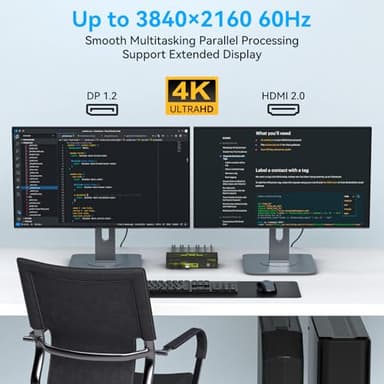
✅ Ultra HD 4K@60Hz Clarity – Experience stunning visuals with support for resolutions up to 3840x2160@60Hz. Perfect for graphic design, video editing, or immersive gaming—just ensure your cables and monitors are 4K-ready! (For best results, use high-quality DP 1.2/HDMI 2.0 cables under 3.3ft.)
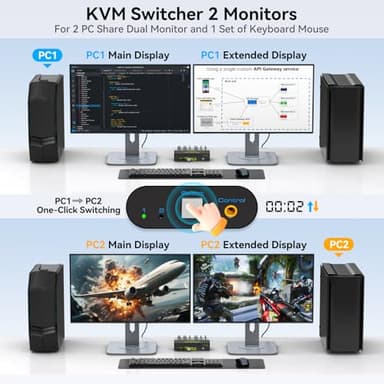
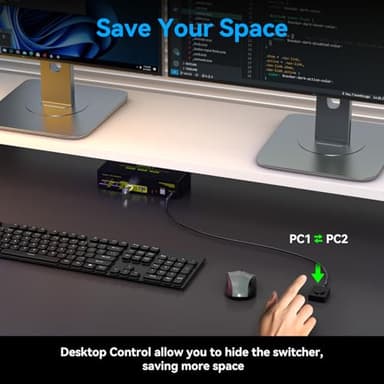
✅ Effortless Switching Between PCs – Toggle between computers instantly using either the front-panel button or the included desktop controller. LED indicators clearly show the active device, eliminating guesswork. (Note: Keyboard hotkeys are not supported.)
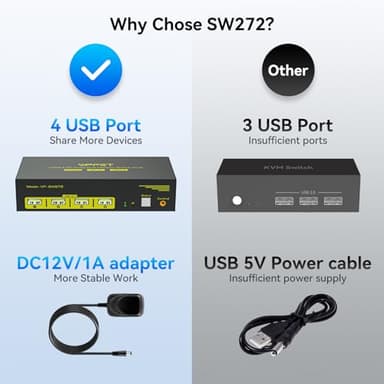
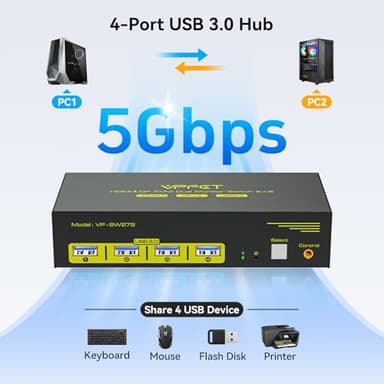
✅ 4-Port USB 3.0 Hub – Share keyboards, mice, printers, scanners, and more across both PCs via four high-speed USB 3.0 ports (backward-compatible with USB 2.0/1.1). No more re-plugging devices—just seamless control! (Ensure correct USB connections for proper recognition.)
✅ Stable & Reliable Performance – Powered by an included 12V DC adapter, this KVM ensures consistent operation without signal drops or flickering screens. (Important: Must use DC12V power supply.)
Why Choose This KVM Switch?
✔️ Eliminates cable clutter and boosts efficiency
✔️ Supports Windows, Linux, Unix (Mac compatibility not recommended)
✔️ Plug-and-play setup—no drivers required
✔️ Backed by a 12-month warranty for
Key Features
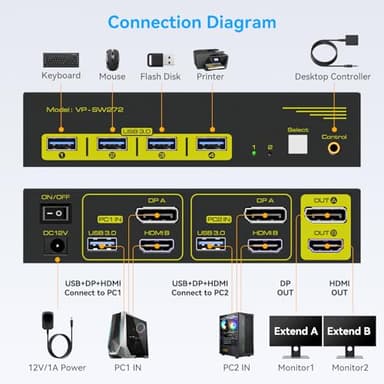
- ▶【Connection Steps】Step 1: Connect the supplied 12V/1A power supply unit to ensure stable operation of the KVM switch. Step 2: Connect the DP A + HDMI B and USB-A ports of PC 1/PC 2 to the ports of PC 1 IN/PC 2 IN on the back of the KVM. Step 3: Connect OUT A/B on the back of the KVM to the display device; OUT A displays video from DP A, and OUT B displays video from HDMI B. Step 4: Connect devices such as mouse and keyboards to the front USB ports. 2 PCs can share 2 monitors and 4 USB 3.0 ports
- ▶【Dual Monitors】The KVM switch 2 monitors 2 computers for DP and HDMI ports device to share keyboard mouse and monitor. KVM switches support Extended&Copy Mode. Note: Please make sure your computers/laptops/docking stations have DP+HDMI port (HDMI input can only be output to a monitor with HDMI, DP input can only be output to a monitor with DP). The DP A and HDMI B ports must be connected to the same computer. For compatibility reasons, it is not recommended to use the KVM switch on Mac devices
- ▶【Ultra HD Visual Effects】This HDMI + DP KVM switch support resolution up to 3840*2160@60Hz(4K@60hz). Brings you realistic visual enjoyment. Note: Please make sure your signal source and monitor as well as cables support 4K60Hz. It is recommended to use a high quality DP 1.2 and HDMI 2.0 standard cable with a length of no more than 3.3 feet for more stable operation and to avoid black screen flicker
- ▶【Support 4 USB Peripherals】This KVM switches 2 in 2 out has 4 USB 3.0 ports for sharing mouse, keyboard, USB printers, scanners, etc,. And is backwards compatible with USB 2.0 and USB 1.1 devices. Note:If the input USB 3.0 ports are not connected or connected incorrectly, the USB device will not be recognized. (Please note: Use with any adapter is not supported.)
- ▶【2 Ways to Switch】The dual monitor KVM switch supports 2 switching mode: 1. Press the selection button on the switcher to switch the signal source; 2. Use the desktop controller button to switch the signal source (included in the package). The LED light shows the active device, solving the problem of frequent plugging and unplugging. It supports various systems such as Windows/Vista/XP and Mac OS, Linux and Unix. NOTE: Keyboard shortcuts (hotkeys) toggles are not supported
- ▶【12V DC Power Adapter】 Please make sure each of your PC has the ability to support dual display before purchasing. We provide 12 months after-sales service. If you encounter any problems during use, please contact us via Amazon mail. (Important: must be powered by a DC12V power supply or the item may not work)